App redesign — home, search & filter
Rebuilt Poshmark's home, search, and filter experience end-to-end. +60% GMV from "For You," stable OI / DAU at launch, and a 60+ screen system migration carried by the highest-intent surfaces.
✨ Drafted by AI
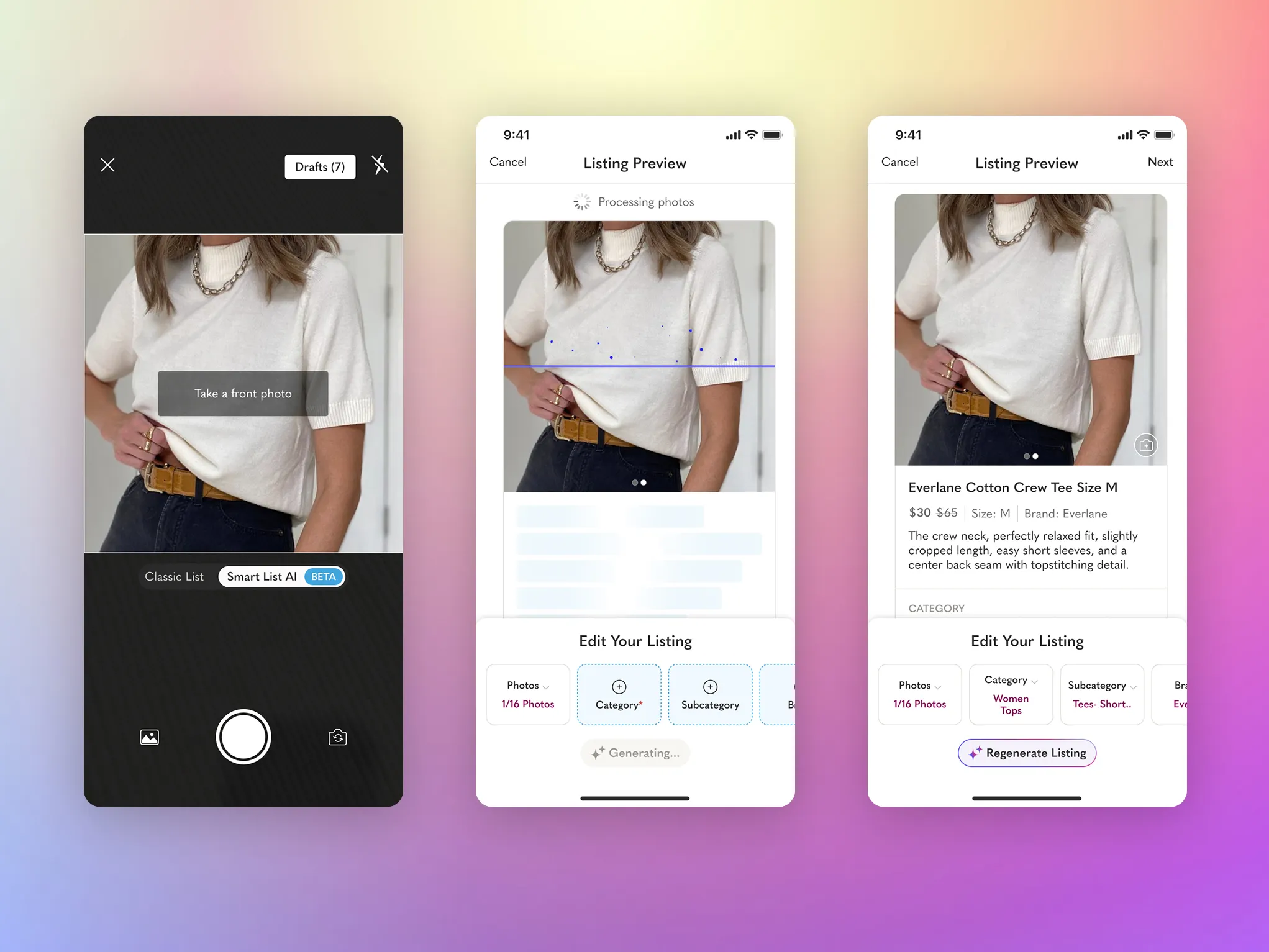
Poshmark's first GenAI feature. Photo in, ready-to-list out — a 15-minute chore collapsed into a 30-second review that sellers actually trust.
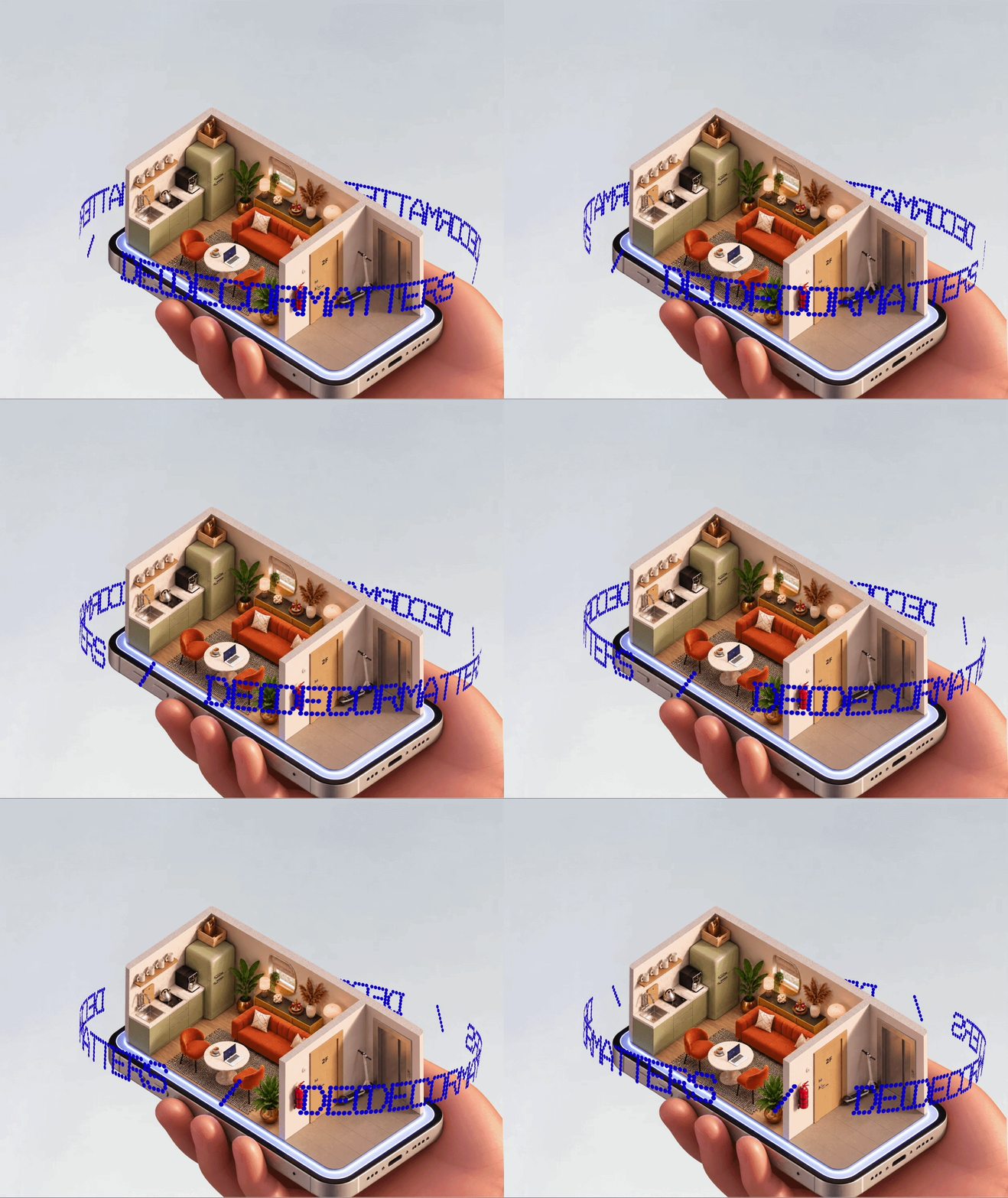
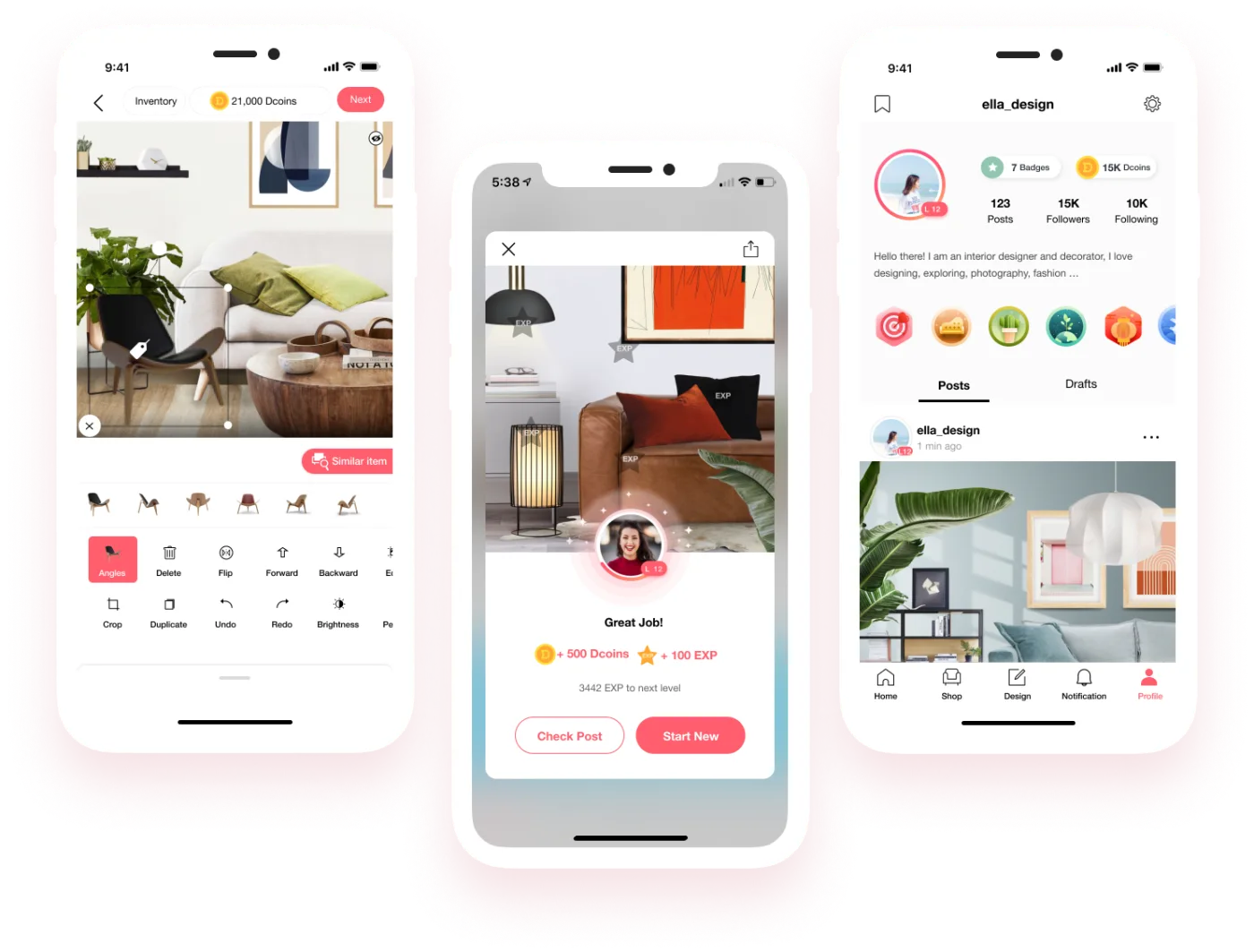
Co-founded a consumer design app from zero. Built the product, brand, and creator loop that took DecorMatters from an empty app to 6M users across AR room design, community, and social commerce.
Interior Atlas
Live · Design Guide
PlantGPT
In progress · Plant doctor
Florae
In progress · 3D globe
Drive & Speak
In progress · 中英双语
A growing collection of ideas I find interesting enough to build — designed and shipped solo with AI-assisted tools. Some scratch a personal itch, some are taste-tests for new tools, some just stay weekend toys. Each one a way to stay curious.
I'm a Product Design Manager working across consumer, AI, and marketplace products — currently leading design at Poshmark, where I shipped the company's first GenAI feature and led the app redesign that lifted Feed orders per DAU by 28% while holding the core business neutral by design.
Before that, I co-led design at DecorMatters and grew the product from 0 to 6M users, through an Apple "App of the Day" feature and a complete iOS + web redesign. I've done the 0→1, the scale, and the rebuild.
I care about fuzzy problems that don't have clean briefs, work that moves real numbers, and teams that disagree well. I manage designers, run research, write specs, and still push pixels — I think the best design leaders never fully put the pen down.
Outside of work: houseplants, slow reading, and weekend side projects where I get to try things my job doesn't need yet.
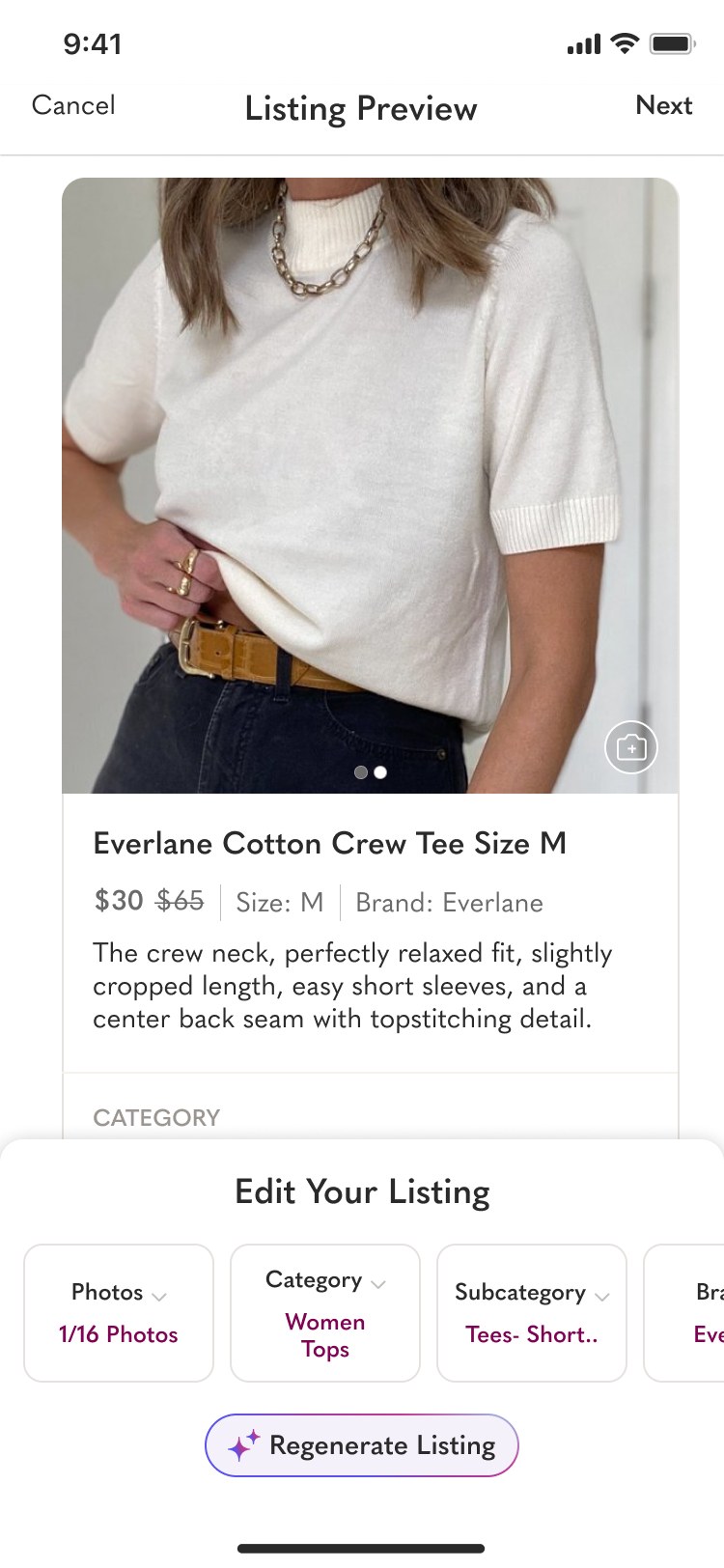
Poshmark's first GenAI-powered feature. We rebuilt the seller's most painful 15-minute flow — create a listing — into a photo-in, ready-to-post-out experience that feels like magic, not autopilot.
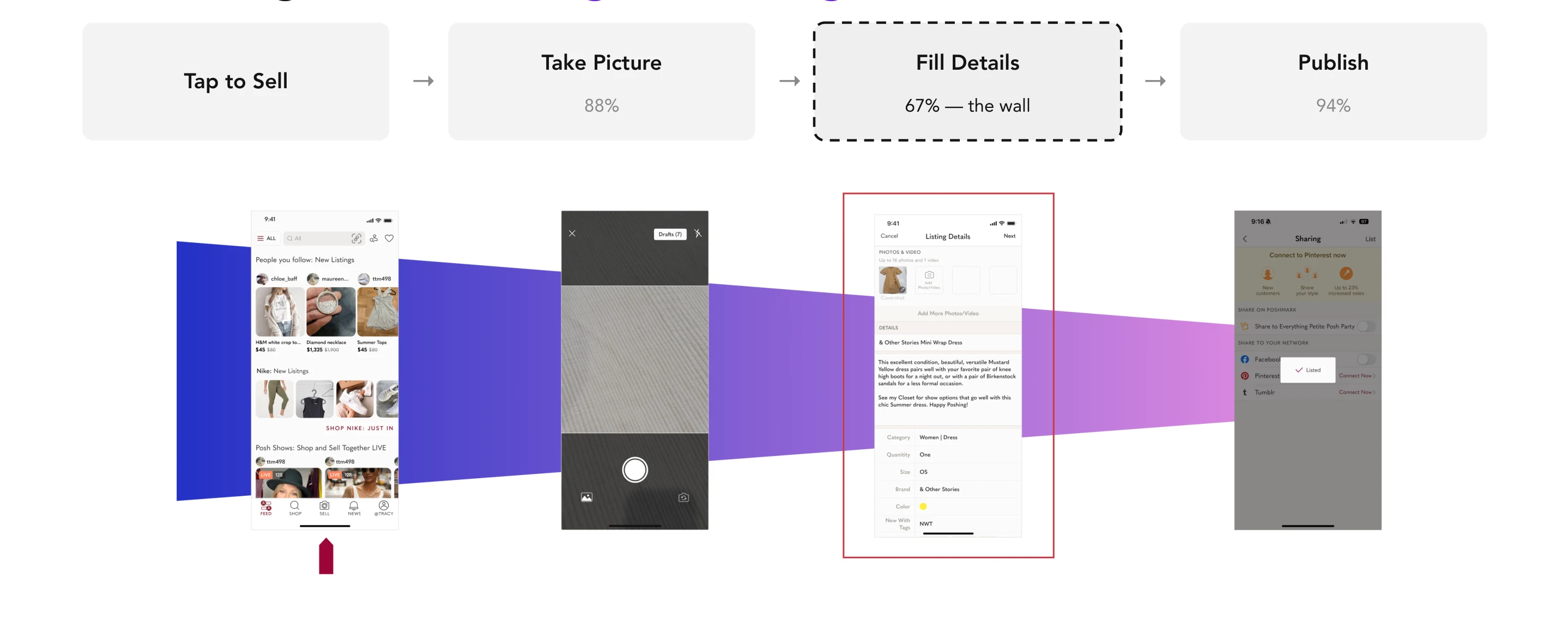
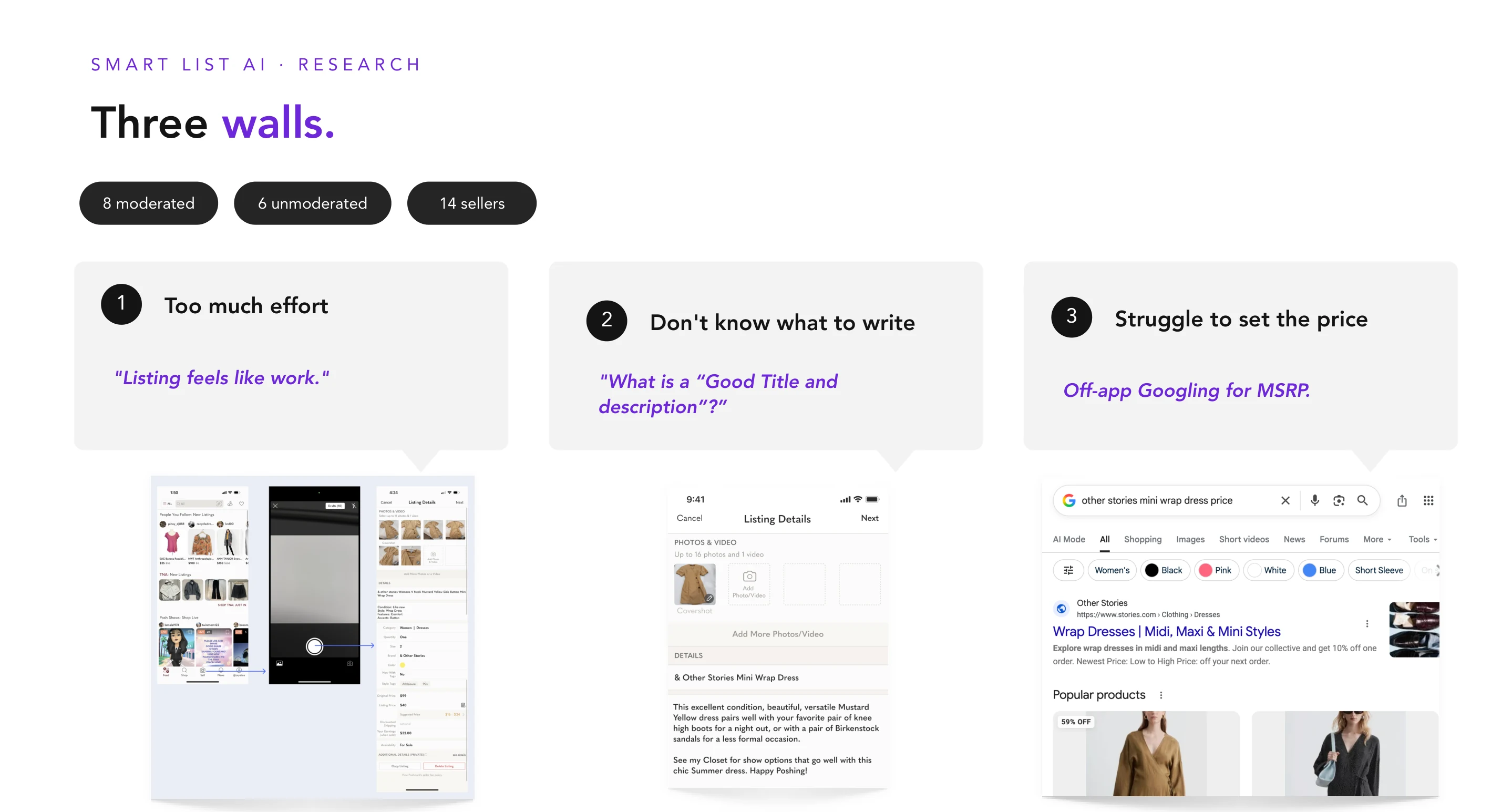
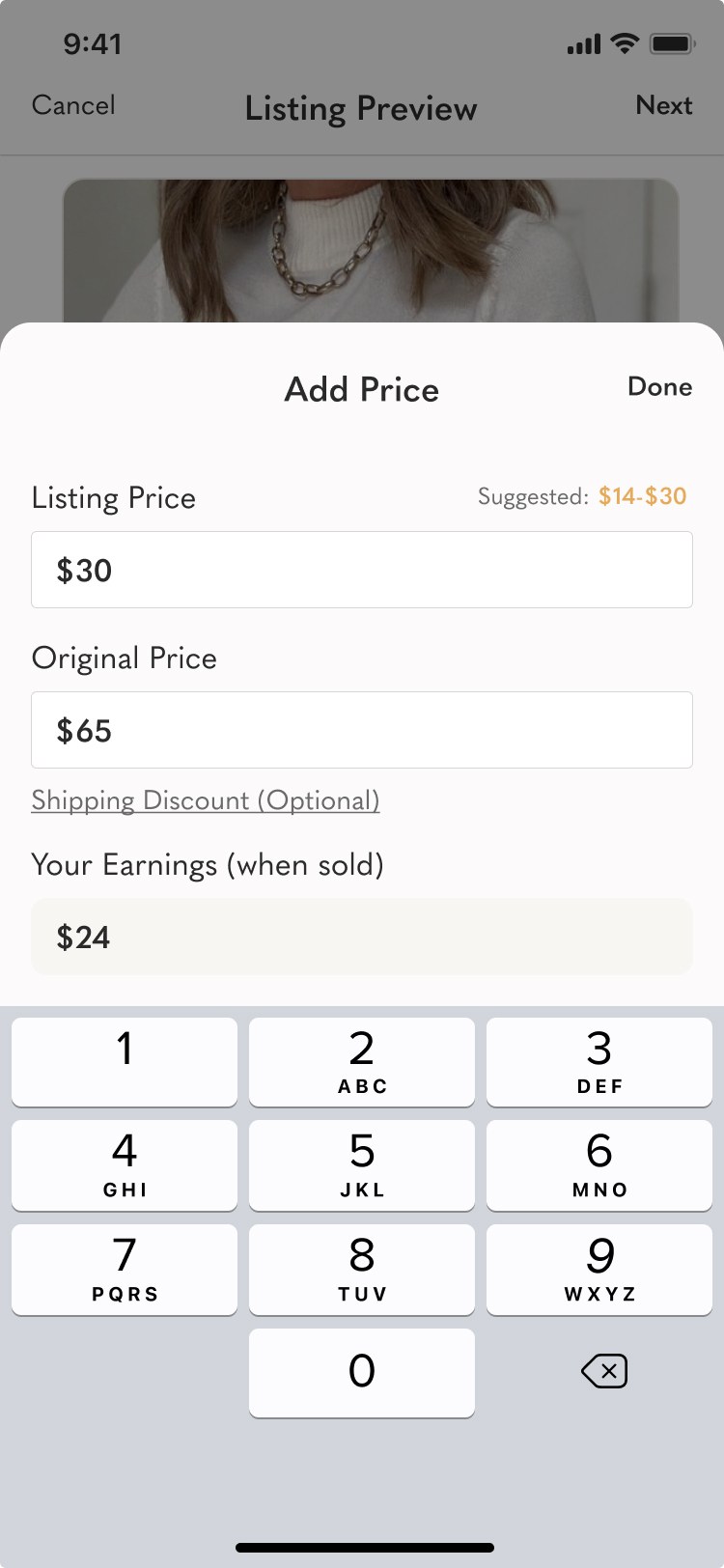
Every item on Poshmark starts with a listing — but the listing was the tax sellers paid to sell. Title, description, category, sub-category, size, brand, condition, color, style tags, original price, listing price — each one a required field. Publish rate sat at 56%, with the biggest drop-off happening right after a seller entered the camera. Casual sellers and first-timers paid the worst price: they didn't know where to start with "free-form" attributes like Title and Description, and many never finished their first listing.
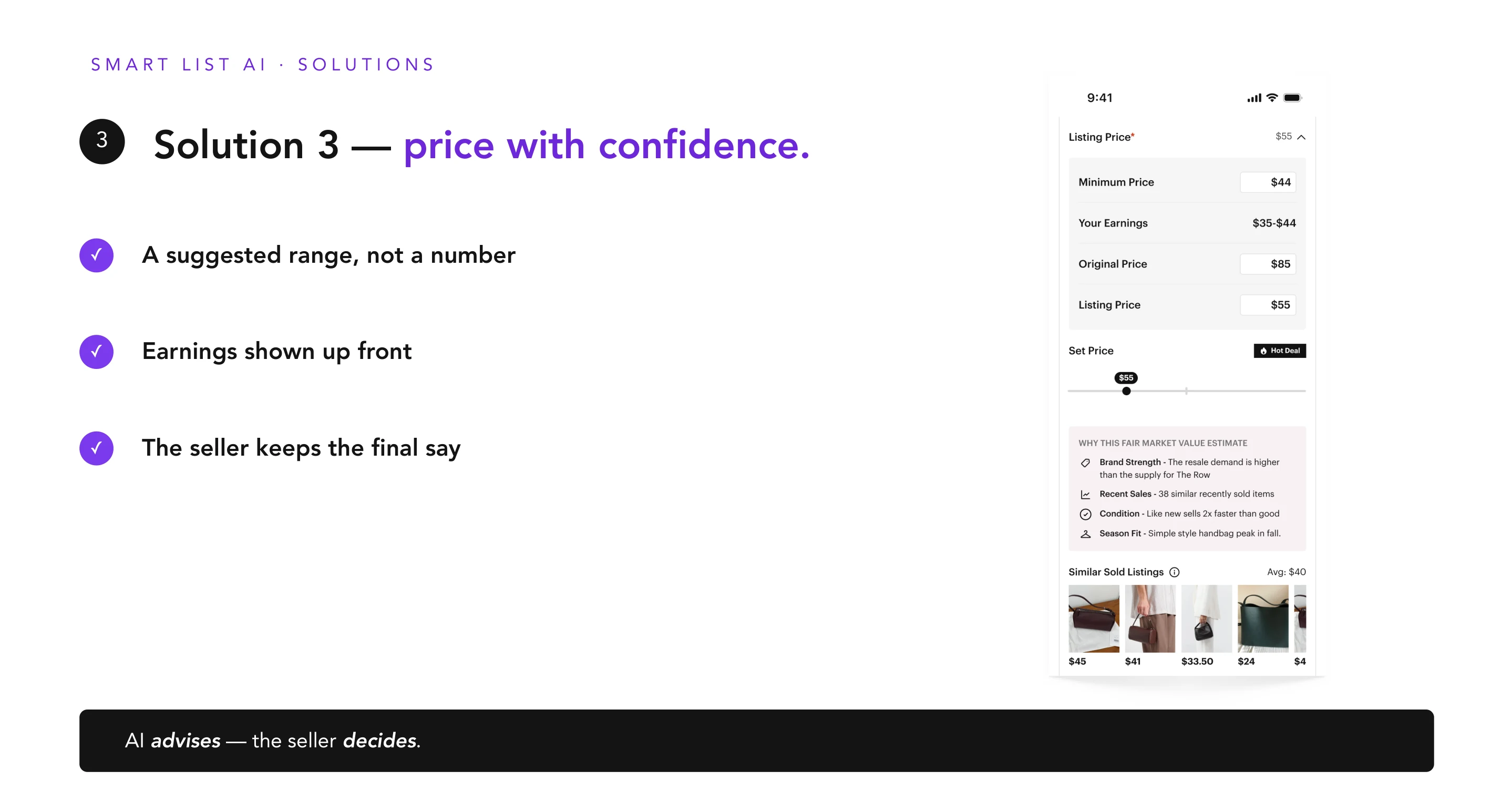
Early prototypes auto-filled everything silently — and sellers rejected it. They didn't trust a black box to represent their inventory, and they pushed back hardest on the fields that felt personal: original price ("how did you calculate this?"), condition ("this is subjective"), description ("would I write it this way?"). The breakthrough was reframing AI from "it does it for you" to "it drafts, you own it". Trust came from authorship, not accuracy.
The original architecture only worked for the one category the model had been trained on. We rebuilt the flow so sellers could pick the category themselves when ML wasn't confident — auto-detect when we could, gracefully hand off when we couldn't. The same feature now worked for every department in the catalog, not a single slice of it.
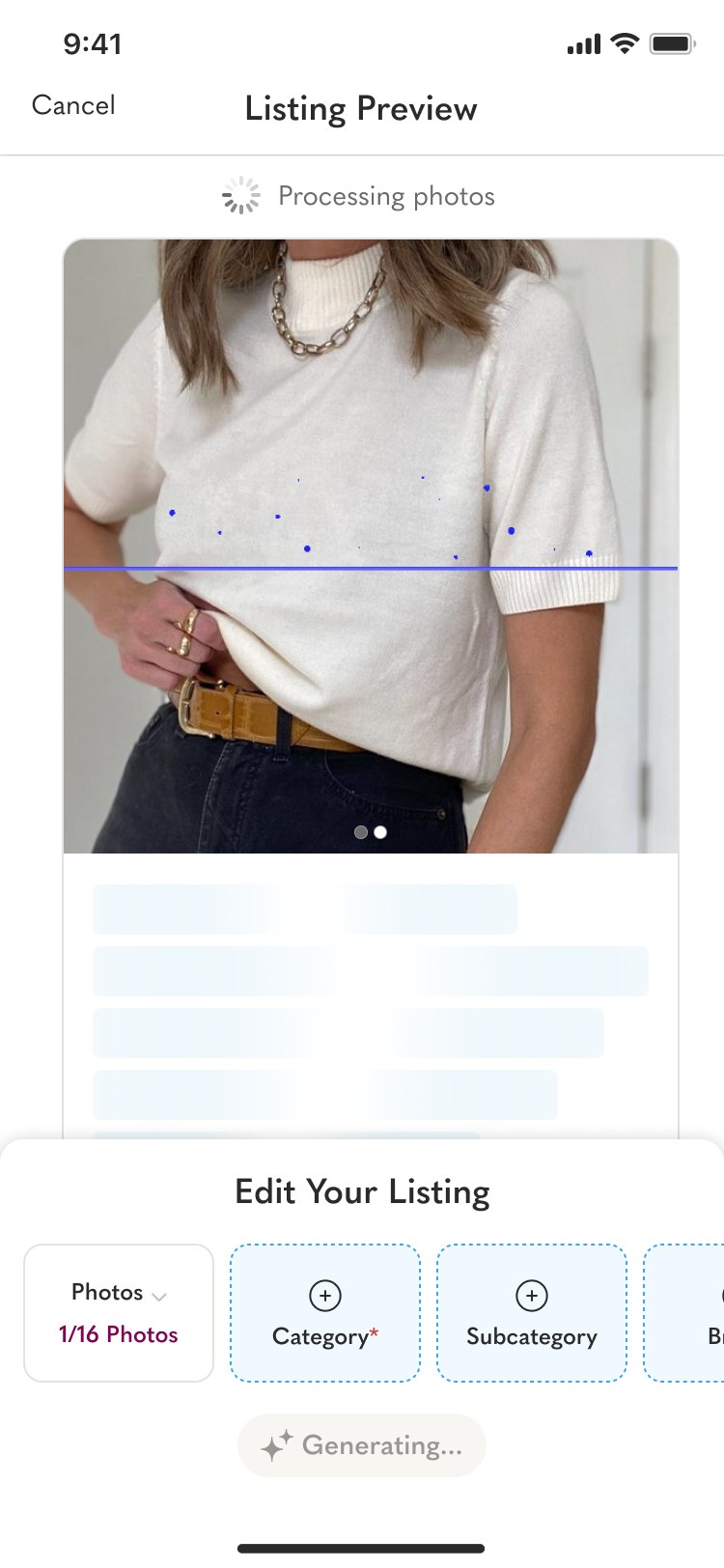
Dev testing surfaced a release blocker. We solved it with three design moves: start uploading on photo 1 (not after "Done"), promote Tag to the 2nd photo angle (the ML-richest signal), and add an animated shimmer + rotating progress copy so the wait read as productive, not broken.
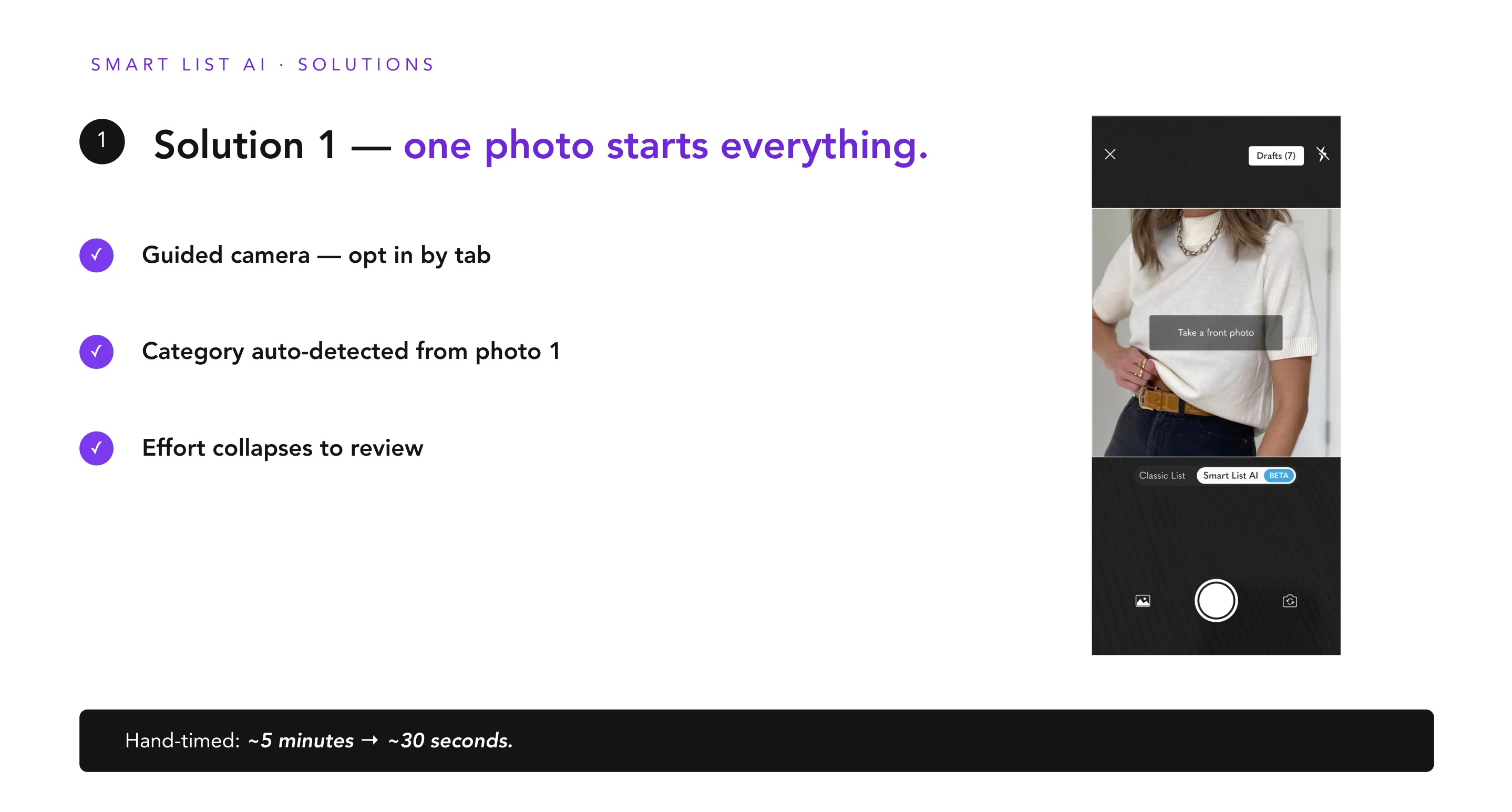
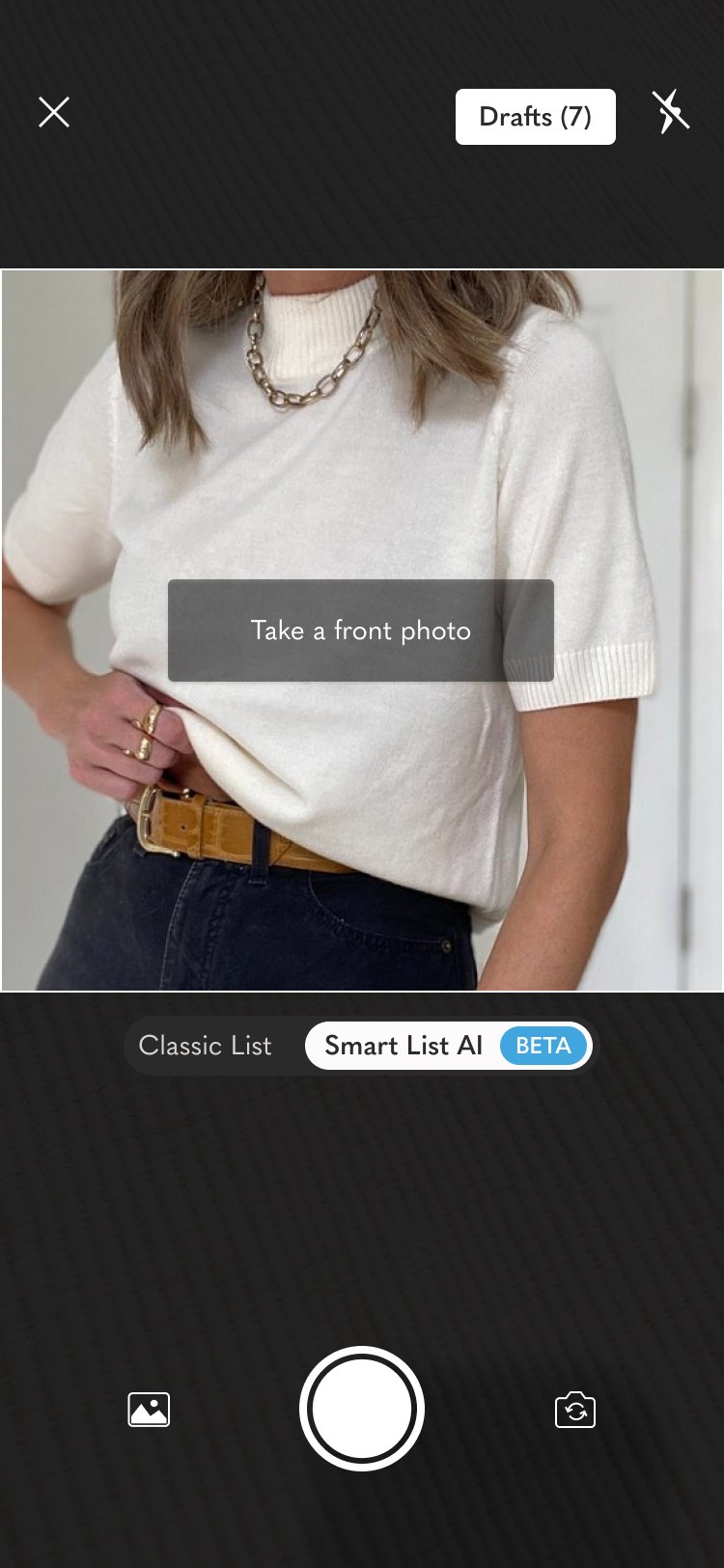
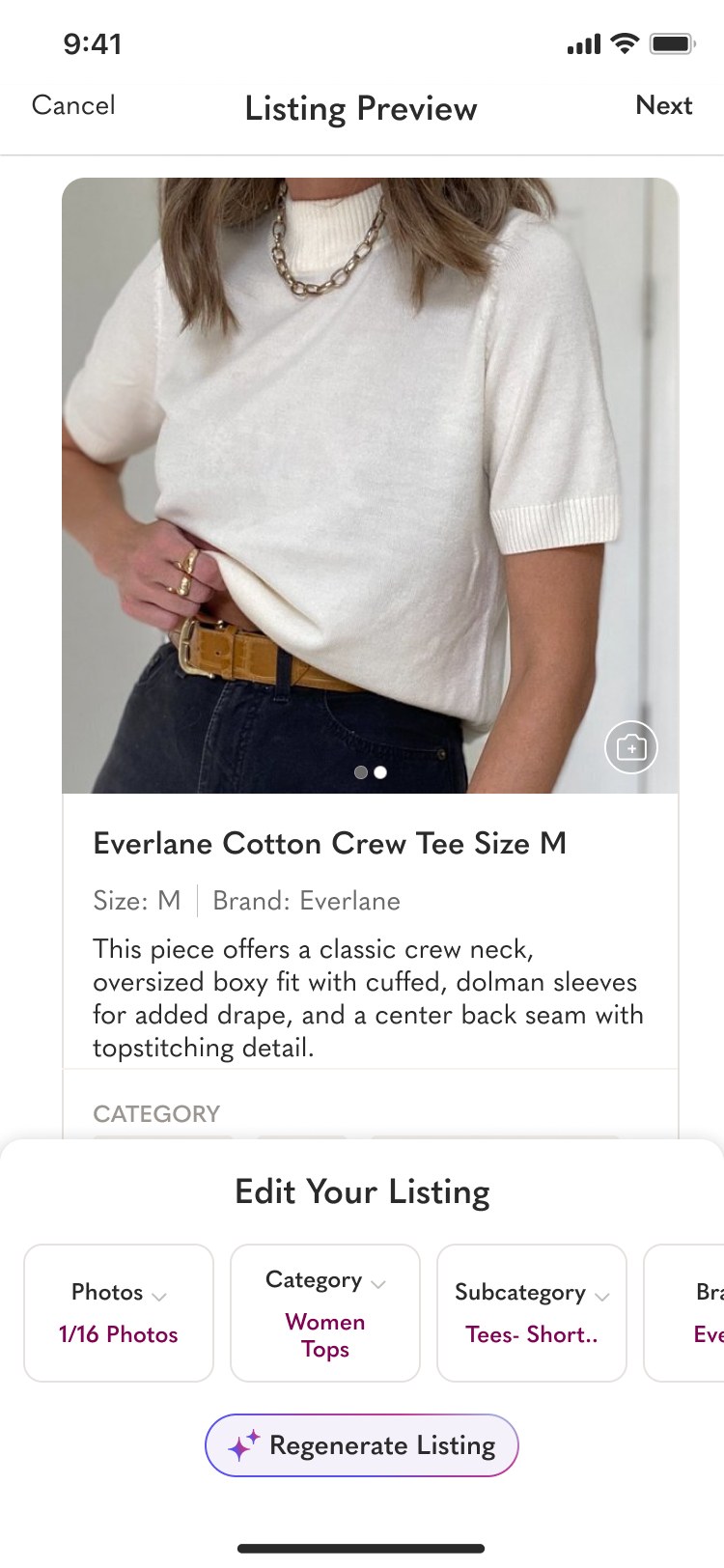
One front photo triggers category detection — and the camera surfaces guided photo angles from a 4-master-set system (Tops, Bottoms, Shoes, Bags) mapped across every department, so the next photo is the one ML can actually use. Sellers land on a Listing Preview with Title, Description, Category & attributes drafted; a Configurator below holds the fields ML can't infer (Price, Condition, Size override). Tap any field to override and the preview regenerates inline. Edge cases — blurry photos, ambiguous categories, unsupported departments — gracefully fall back to a "we aren't sure, pick one" prompt instead of an error.


14-day A/B at 11% sizing across iOS, iPad, Android & web. Among sellers who actually entered the Smart List AI flow, 68% reached publish — past the 60% casual-seller goal the project was scoped against. Top-line business metrics (Listers, Sellers, Buyers, Orders, GMV) tracked neutral between control and treatment — exactly the guardrail we'd designed for. No cannibalization. Clear segment win.
The North Star was Listings — the share of seller sessions that result in a published listing. Smart List AI was scoped against a 56% baseline, with a target of 60% for casual sellers and an explicit guardrail to keep top-line metrics neutral.
First shipped GenAI feature at Poshmark. The "draft by AI, owned by seller" framing — and the photo-angle & latency patterns it pioneered — became the team's template for every GenAI feature that followed.
The biggest lesson wasn't about AI — it was about authorship. When we over-automated, we eroded the seller's sense of craft. When we underplayed it, we lost the time savings. The sweet spot was giving sellers the feeling of curation with the speed of automation. The second lesson was about latency as design: a 5–20 second wait reads as broken; the same wait, scaffolded by motion and copy, reads as productive. Both ideas now guide every AI feature my team ships.
I led design for three of Poshmark's highest-intent surfaces — home, search, and filter — through an 8-month system-wide redesign that launched in February 2026. We rebuilt home as a ranked discovery engine, modernized search and mobile filters, and carried a 60+ screen system migration.
Poshmark's app had grown for a decade on a tab-based browsing model. Home was an inventory wall, Search sat behind a generic Shop tab, and 60+ screens shared a fragmented visual system. Leadership greenlit a full redesign — aligned with a partnership with Naver — and asked three designers to own the highest-intent surfaces. I led home, search, and filter.
Home was optimized for browsing inventory, not deciding what to look at next. Search was a business-critical funnel wrapped in dense, web-shaped filter patterns. The design system couldn't support modernization because no single surface carried enough accountability to force migration. Fixing any one in isolation would miss the real problem: discovery needed a single spine.
Before rebuilding, we audited the existing app against buyer intent and comparable consumer benchmarks. Four issues kept surfacing — each one solvable in isolation, but together they explained why the app felt dated and why younger audiences bounced.
Typical redesigns get judged by top-line engagement and quietly fail — traffic moves around inside the app, and nobody can tell signal from regression. We designed against an explicit mix-shift hypothesis: attention should flow into Feed and Search, out of Brand and Community Closet, and OI / DAU should stay neutral overall. Naming the expected losses upfront let us defend the wins.
Moderated user-call transcripts (Pinetail Research × Poshmark, 8 participants) clustered into four pillars. Together they describe how it felt to navigate the new app — not what it did, but what kind of product it felt like.
"I love the new look and feel. It's very clean, organized, and easy to navigate." — P01, moderated user call
Before pixels, we agreed on directional intent. Four axes, each marked from where the app was to where it needed to be. This map became the tie-breaker whenever exploration spread too wide — and made it explicit that we weren't flipping Poshmark's identity, we were re-centering it.
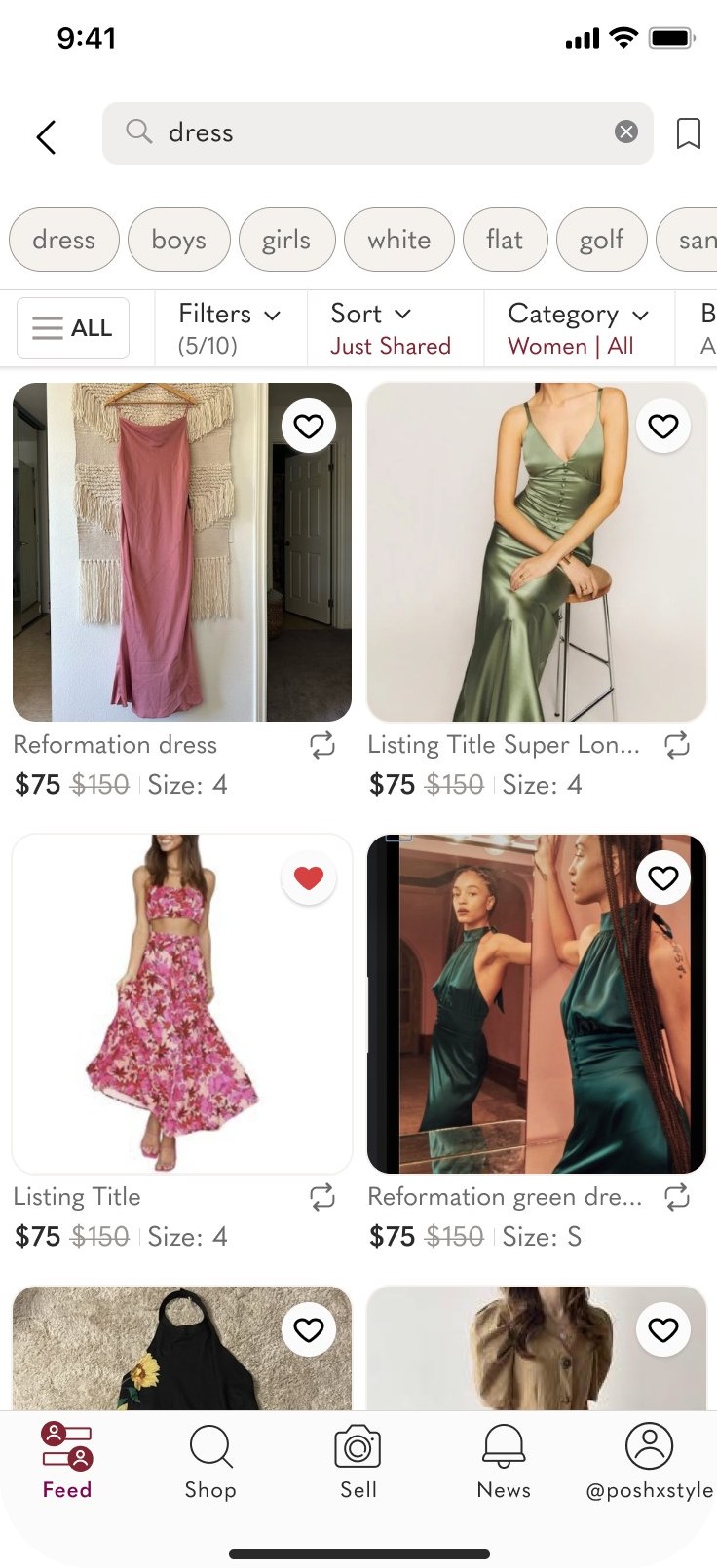
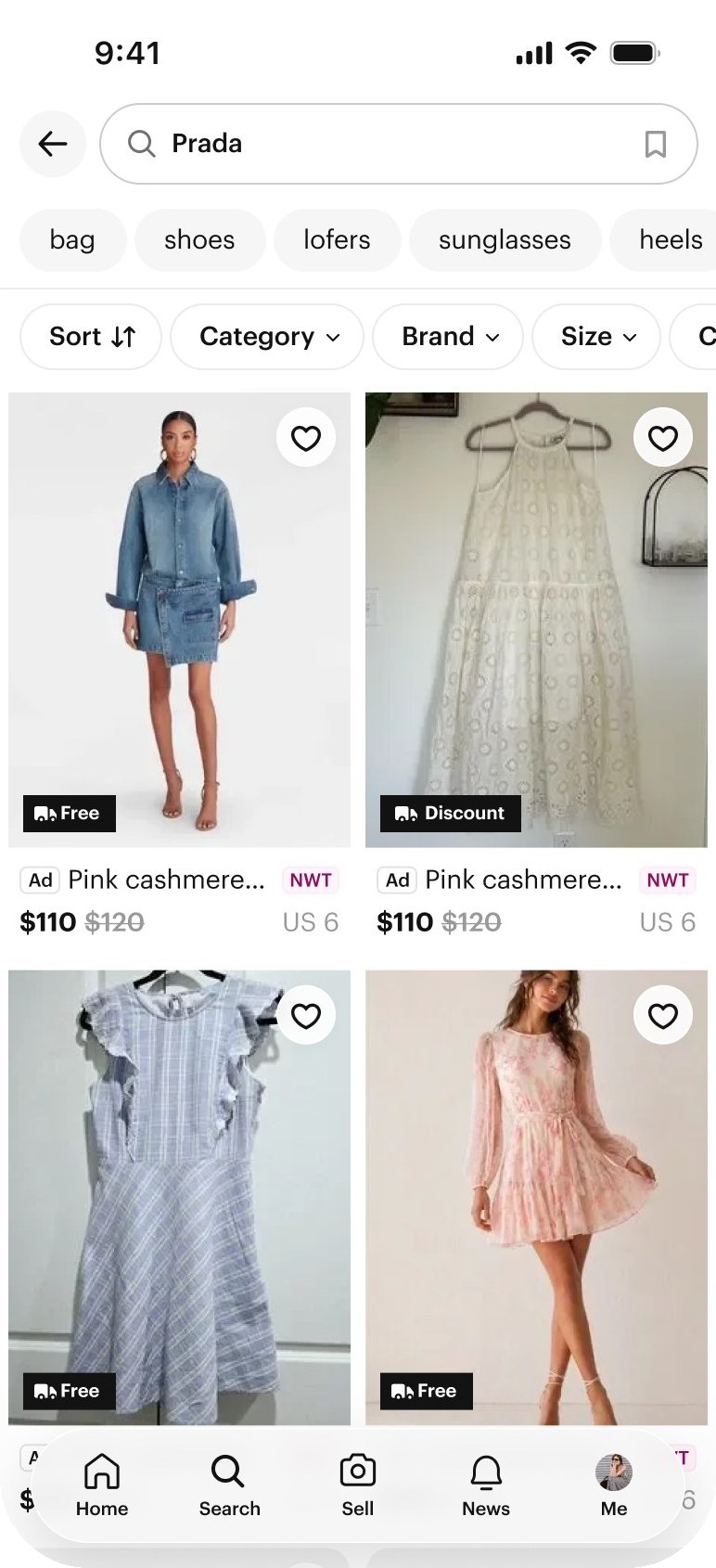
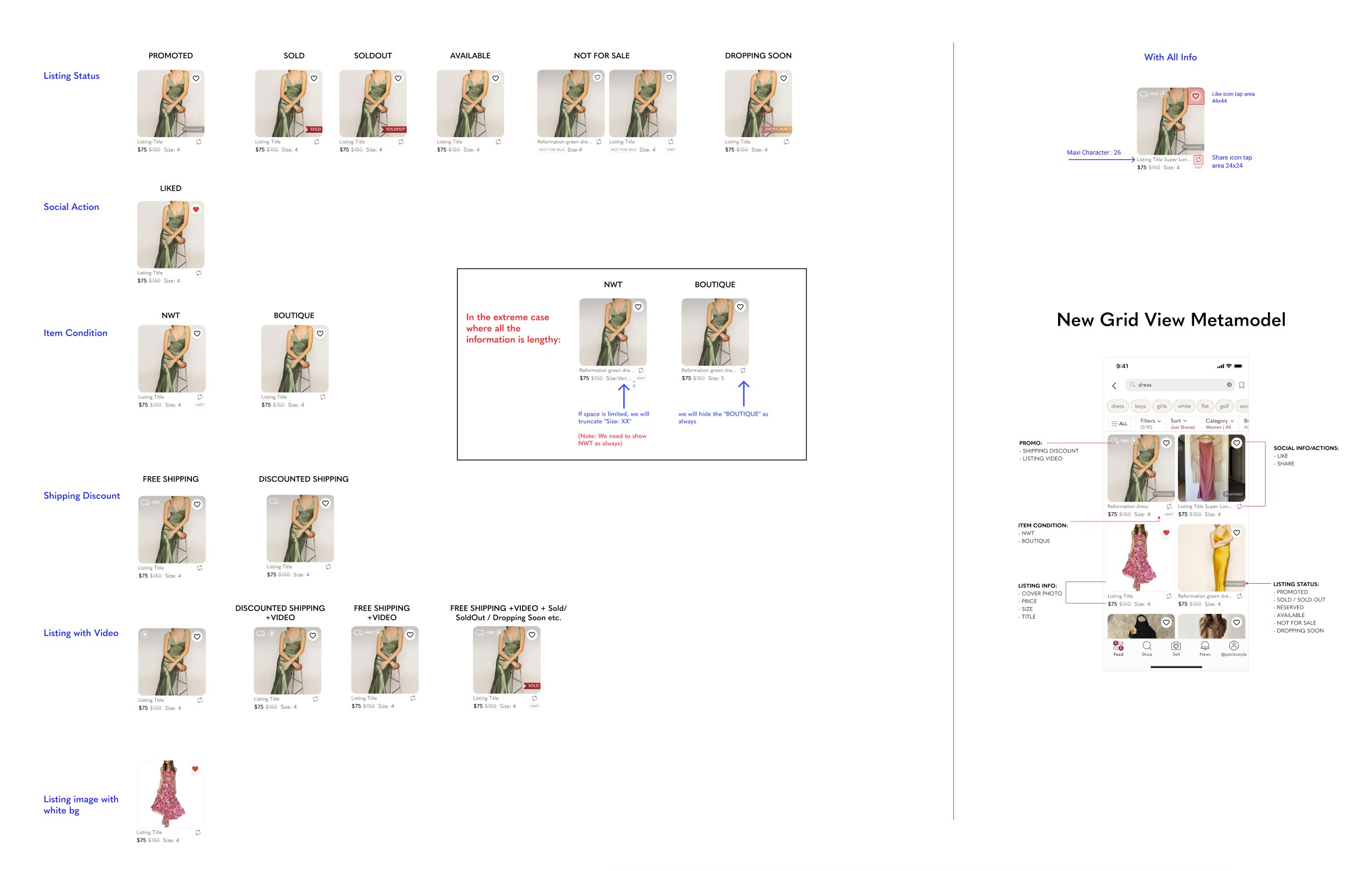
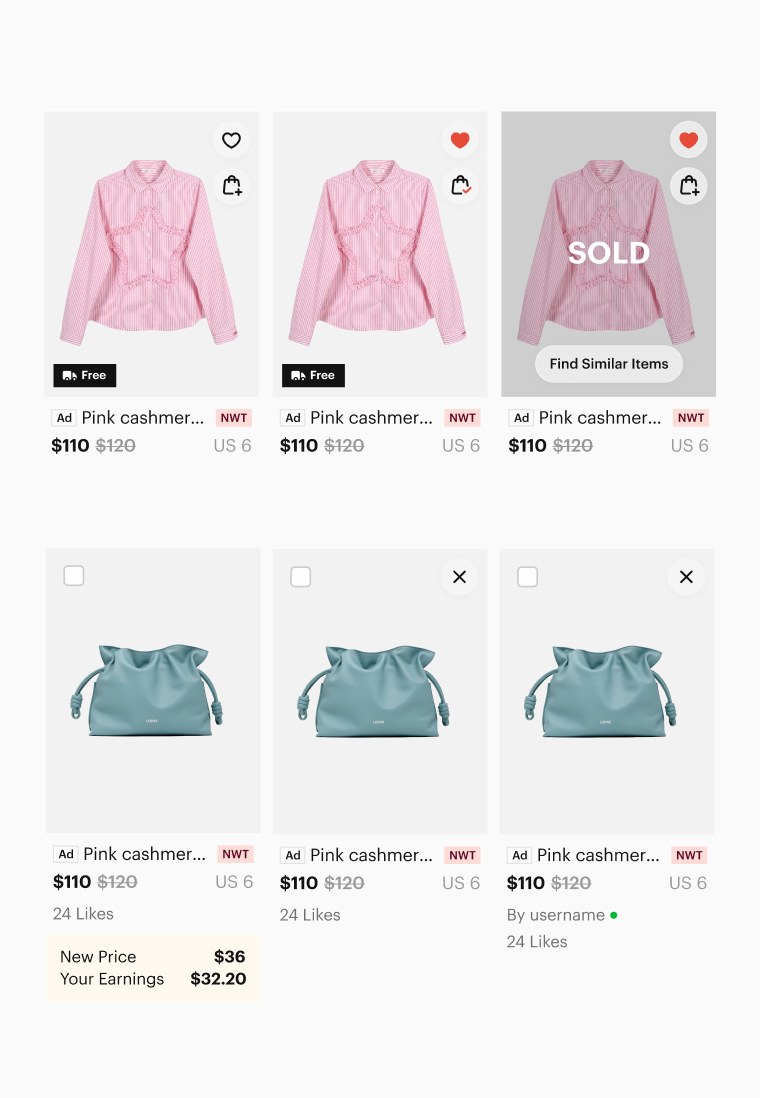
Legacy product photos were square, which suited general marketplace inventory but not apparel. Moving every product card to a 4:5 vertical ratio aligned photography with how sellers actually shoot outfits, tightened rhythm across the grid, and gave UGC room to breathe without cropping heads or shoes.
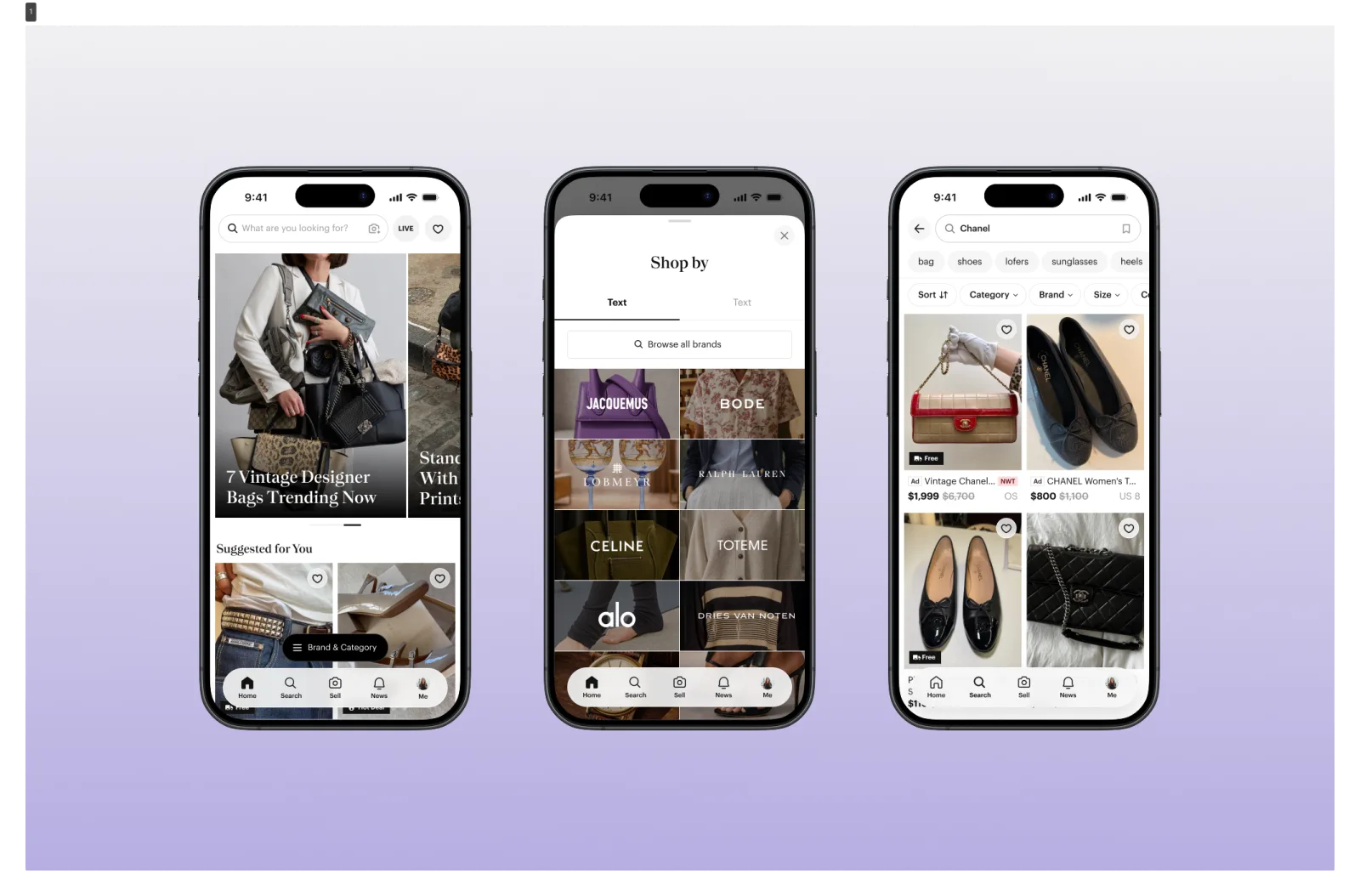
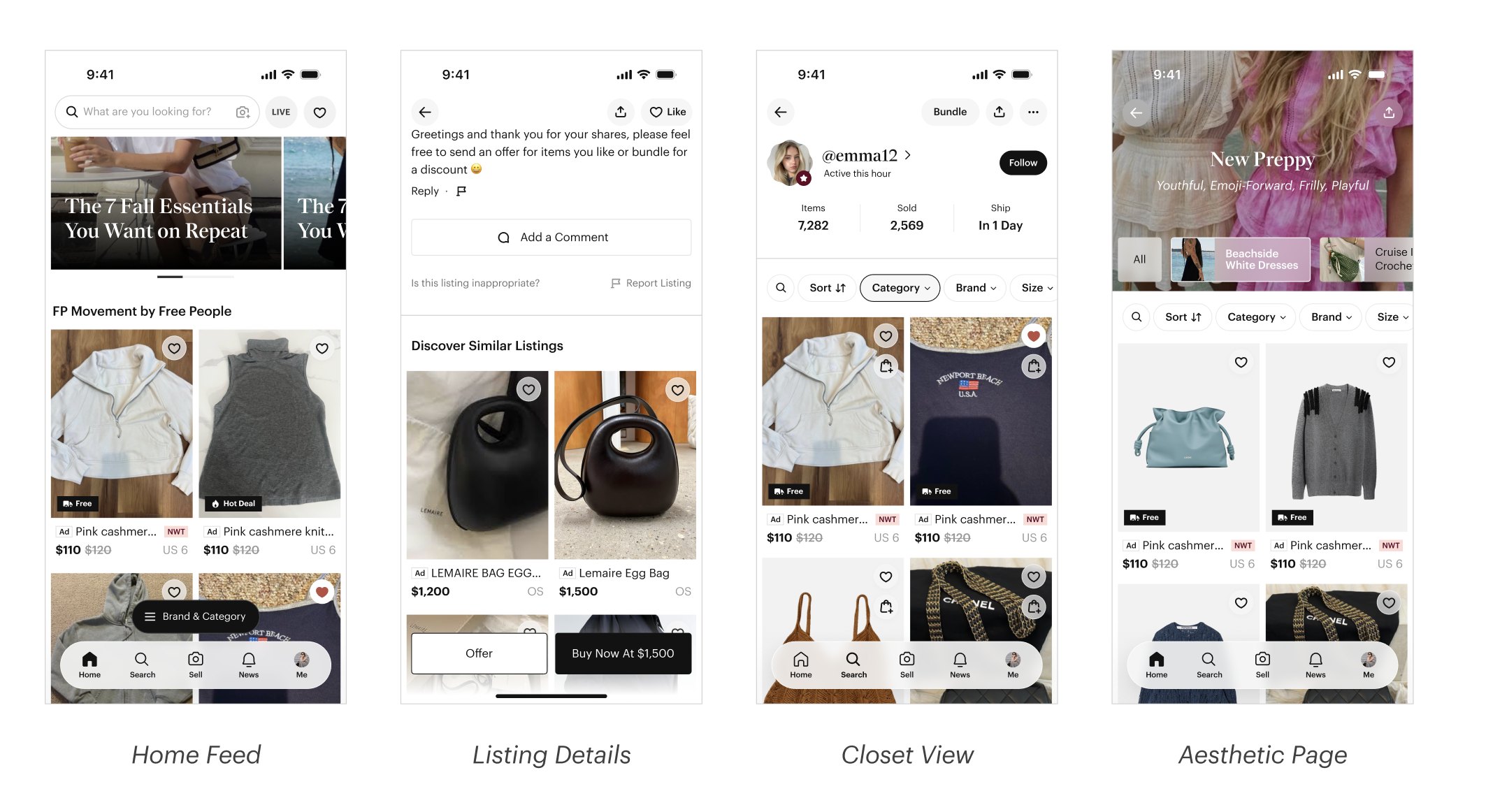
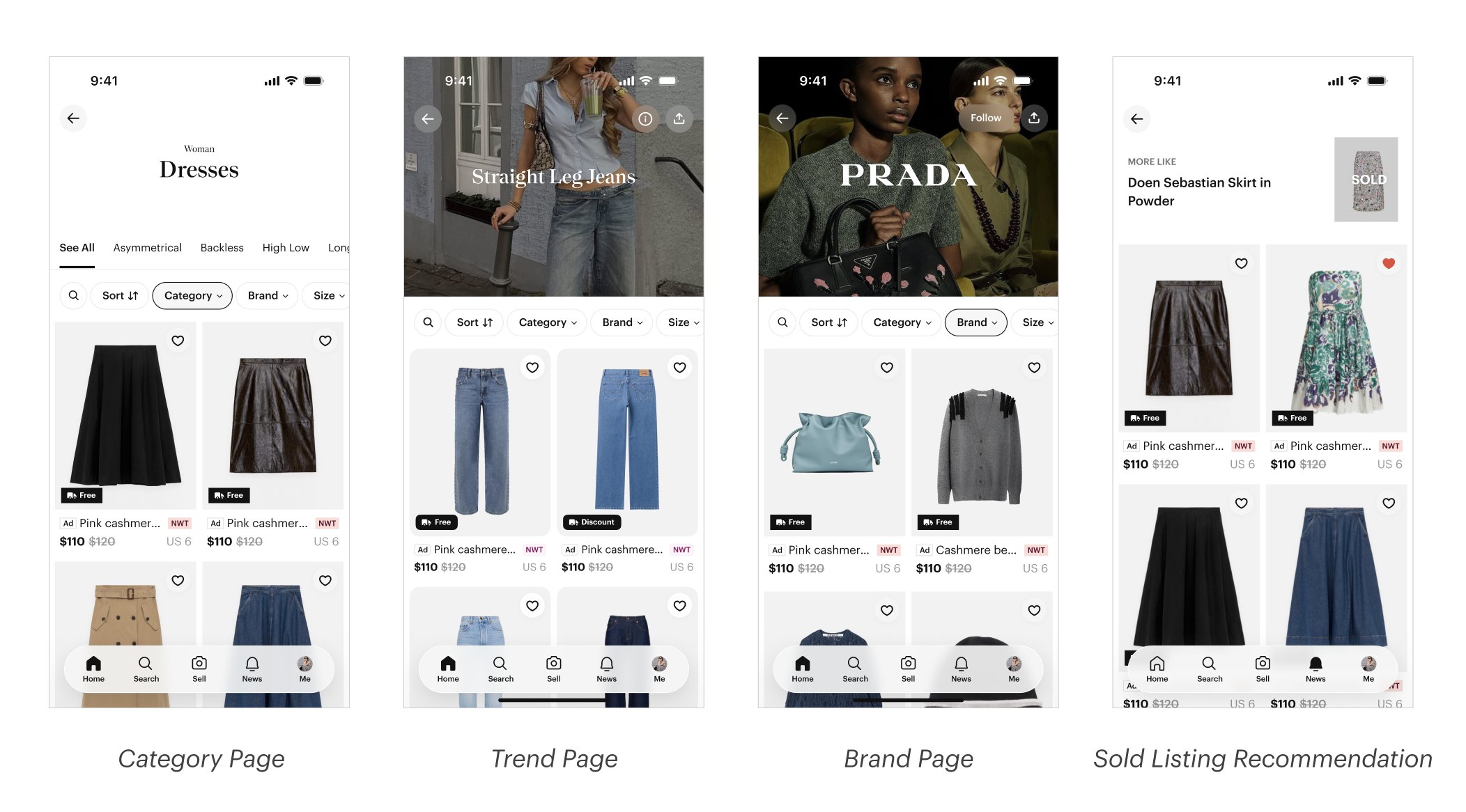
Home stopped being a product wall. It became a ranked, modular feed that mixes personalized product grids with UGC photos and editorial lookbooks — a reason to open the app when you don't already know what you're looking for.
Recommend highly relevant products based on each shopper's interests and activity history.
Vertical photo ratio, optimized for apparel — full outfit shots, not cropped squares.
Auto-scrolling carousels curated by theme, giving the feed a rhythm beyond product tiles.
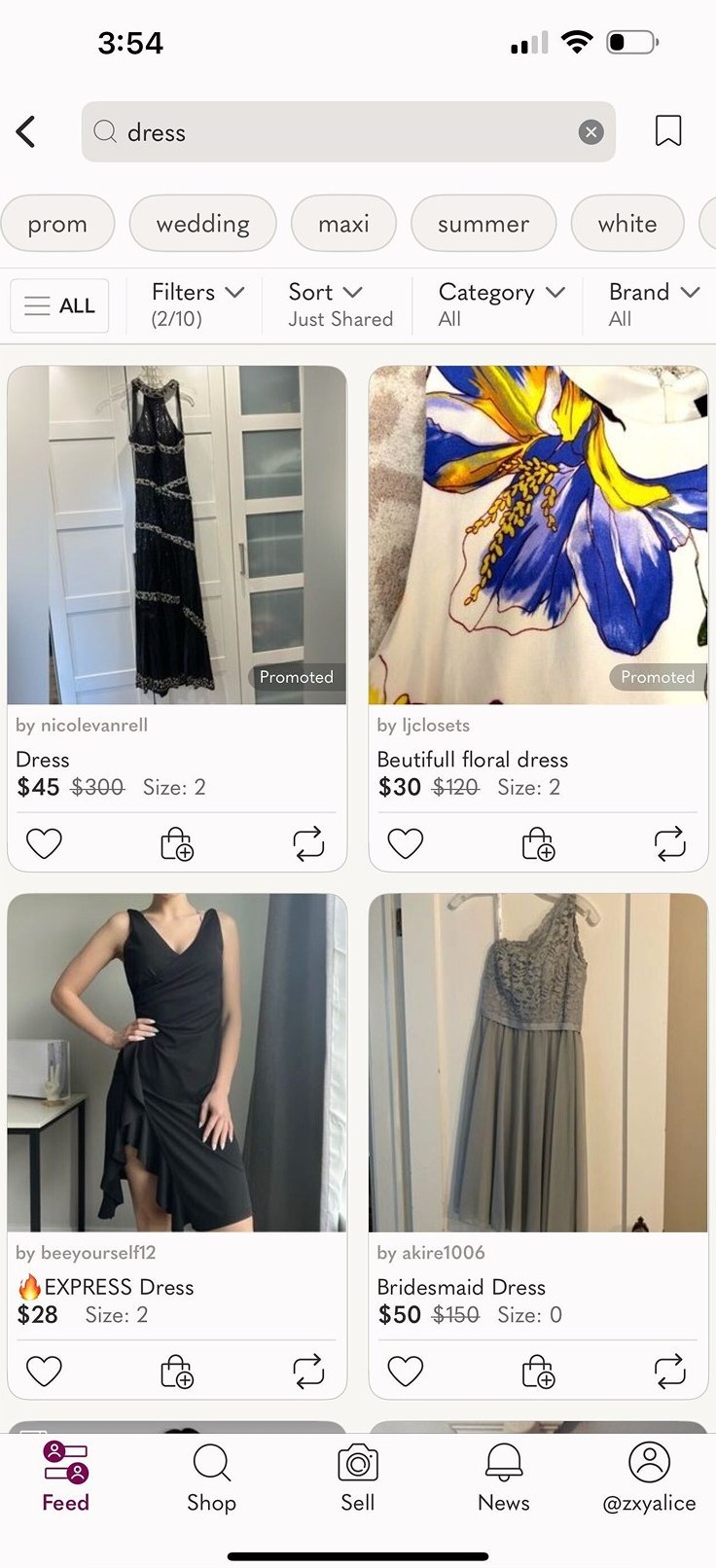
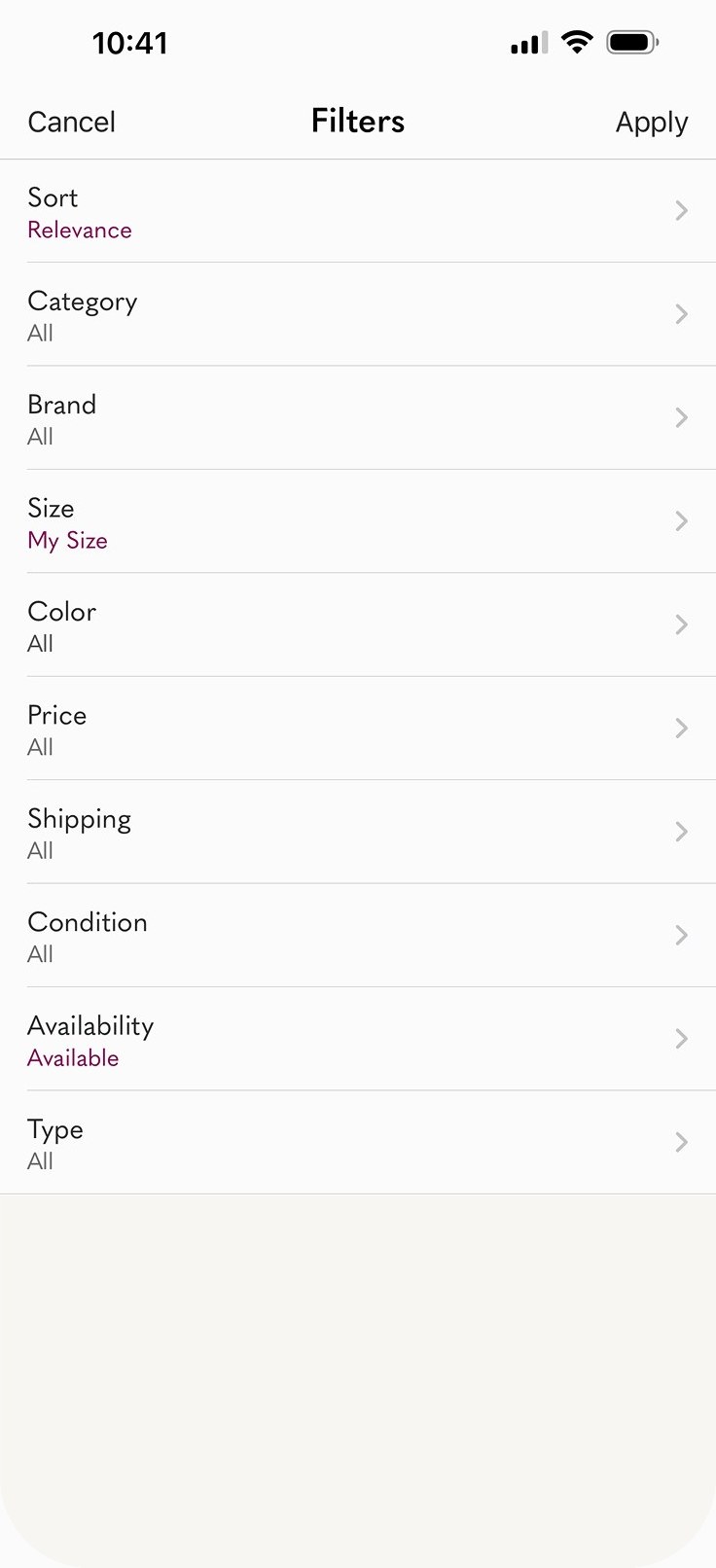
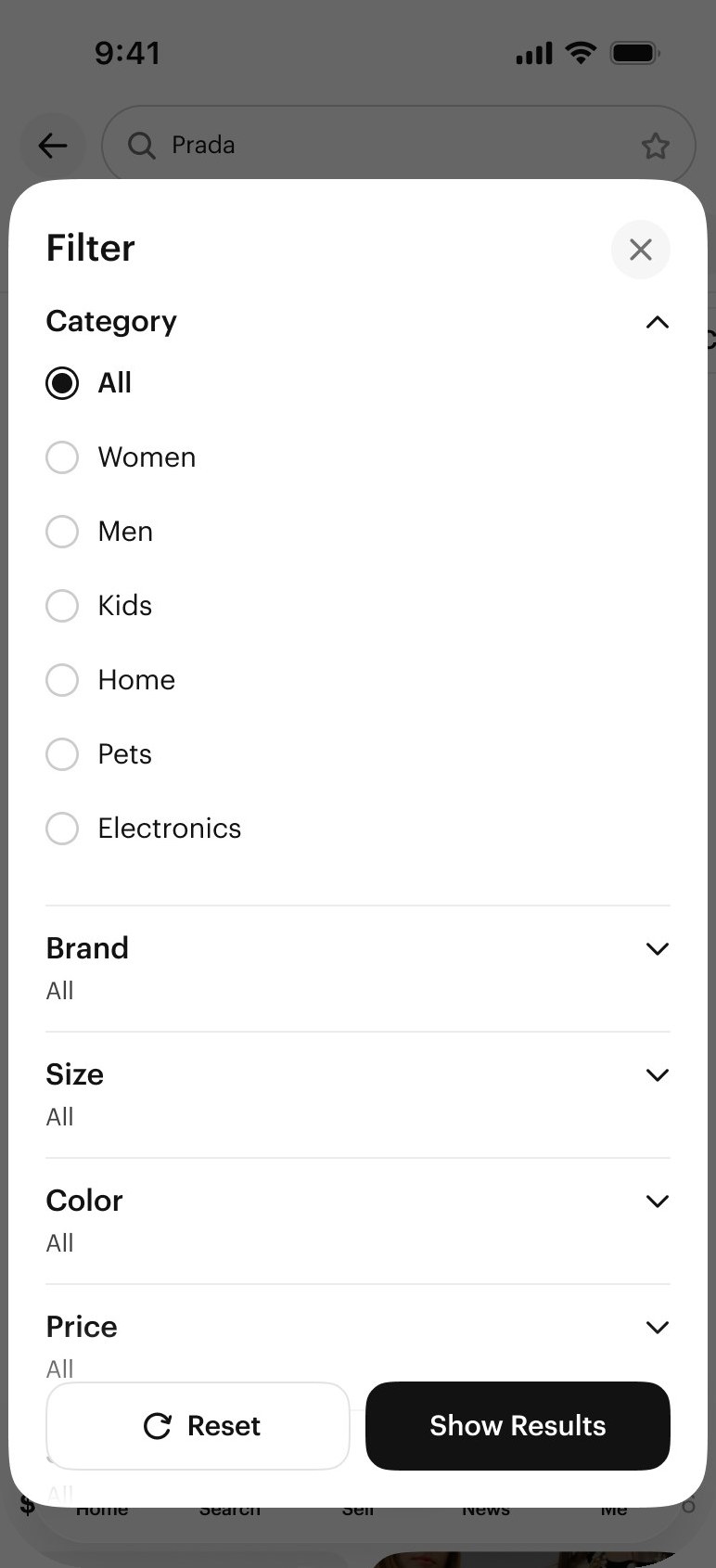
The old search stacked filters, chips, ad labels, and a 2-column grid into a single dense screen. The new surface breathes: search moves to its own bottom-nav tab, filter chips become horizontally scrollable pills, product cards lead with imagery, and meta drops to a second line. Home became a ranked feed of modular units — product, creator, live, show — and mobile filters collapsed into a flatter bottom-sheet IA.
For shoppers who could describe a vibe but not a query, Posh Lens turned the camera into the search bar — point, snap, get back ranked results from the catalog. Built on the same ranking spine as the redesigned Search tab, so visual queries inherit the same filter chips, ad logic, and feed treatments shoppers already learned everywhere else. Same mental model, new entry point.
Page View / DAU mix-shift. Neon = intentional gains. Dashed = expected losses from removing the Shop tab.
| Surface | Pre | Post | Δ |
|---|---|---|---|
| Feed | 5.6% | 7.2% | +1.6 pp |
| Search | 44.3% | 45.4% | +1.2 pp |
| Brand | 10.9% | 9.7% | −1.2 pp |
| Show | 15.3% | 14.6% | −0.7 pp |
Feed's +9% OI/FM was the bigger signal than traffic: buyers didn't just visit more, they bought more of what they saw. New-user metrics moved up across the board — D2 retention +15%, D1 sessions +10%, D1 buyer +9%. Ad revenue still grew +2.6% overall despite Brand losing top-of-funnel.
"The new app is much better — the redesign makes it easier and the flow works so much better. 10/10."
"I love the new look and feel. It's very clean, organized, and easy to navigate."
"The larger photos make listings look great and really improve the presentation."
"It's much more intuitive and sleek than the previous version."
"The new seller experience is great! I love the new app design."
"Overall, I like the new app better. It feels cleaner and more modern."
This project reset how I think about product design. The job wasn't to "improve home" or "redesign search" in isolation — it was to decide where attention should flow across the marketplace, and to defend that decision with a measurement framework explicit enough to tell mix-shift apart from regression. Design systems rarely win on abstraction alone; attaching the 60+ screen migration to surfaces with real traffic made it impossible to ignore.
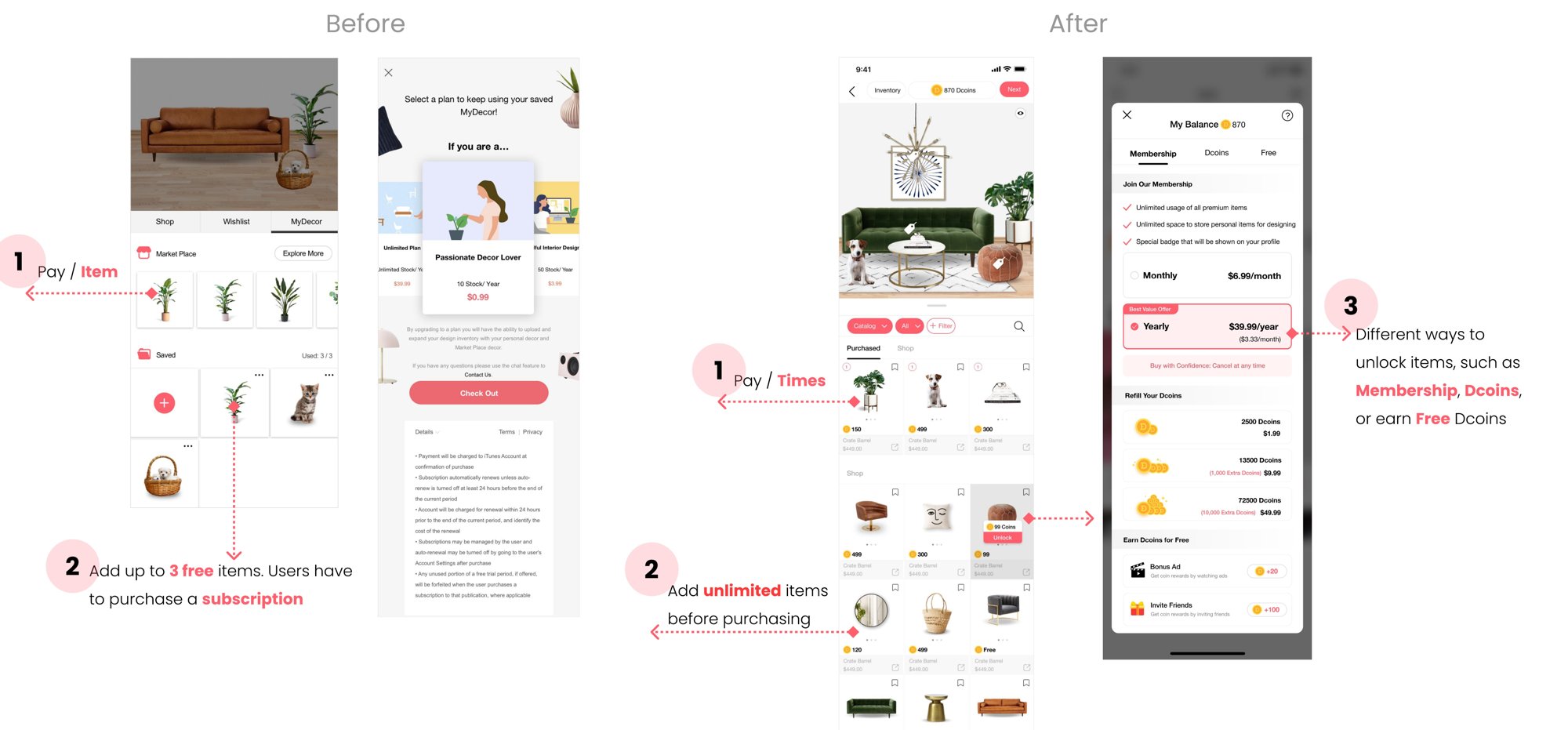
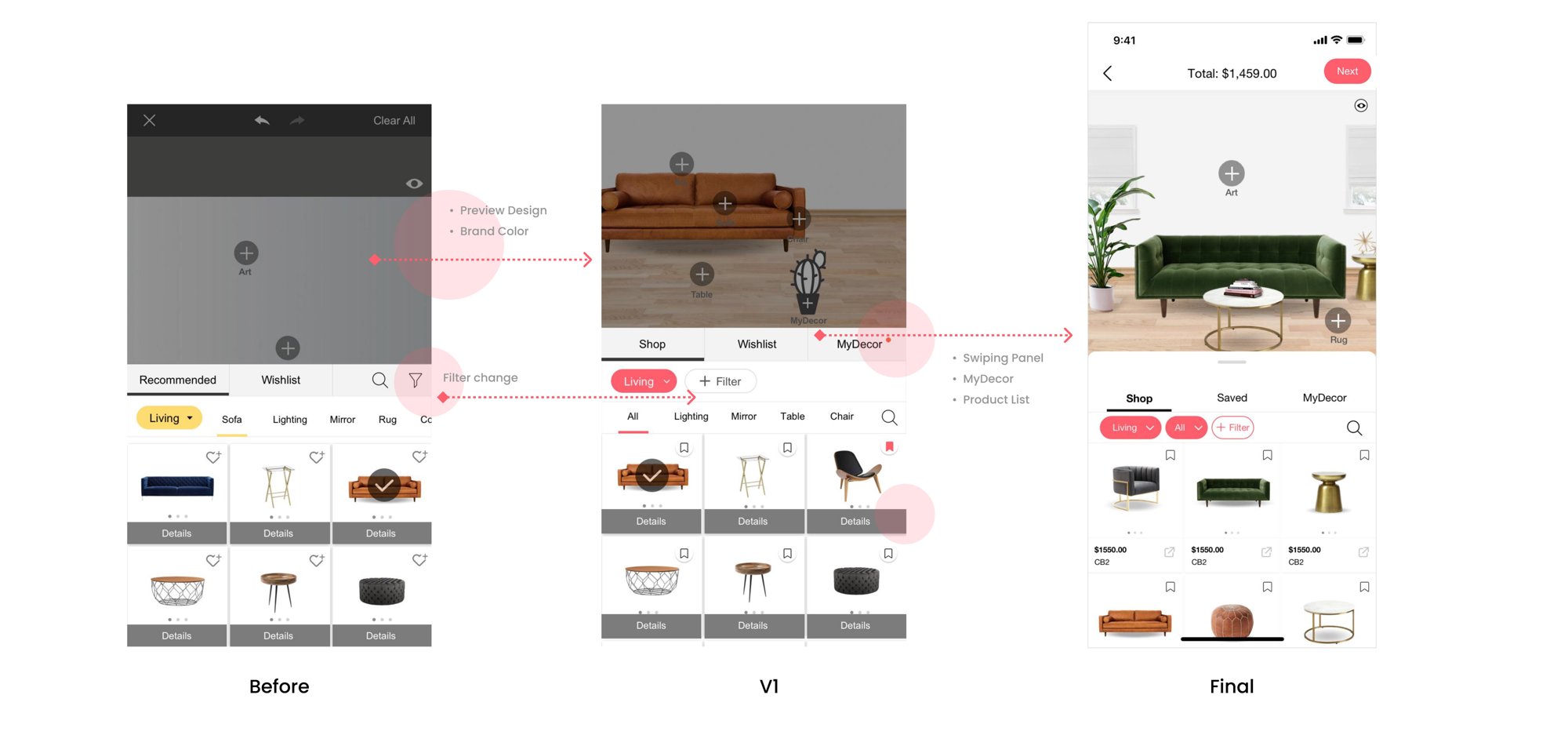
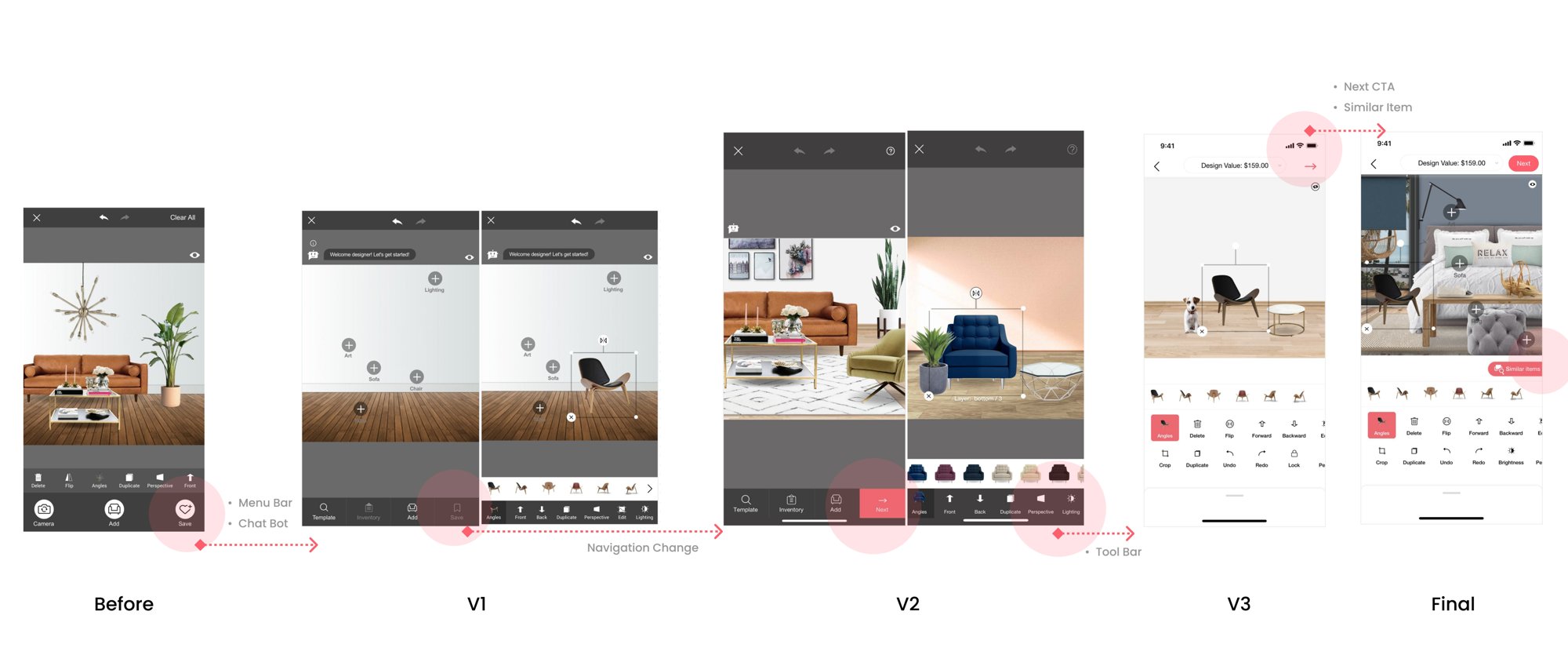
I co-founded DecorMatters and led design from zero. We shipped, we were wrong, we pivoted — twice. Each pivot was a design problem I ran end-to-end: insight, research, system, launch. This is the story of how the product became what it was always trying to be.
DecorMatters shipped three times. Each version answered a different question, each pivot was a design call I made with the data in hand. Here's the timeline — then three chapters, one per pivot.
2017. AR on iOS was brand new. Our thesis: people don't buy furniture online because they can't tell if it fits. Drop a real chair into a real room, hit buy. Simple.
I don't come here to shop. I come here to design my dream rooms when I'm bored.
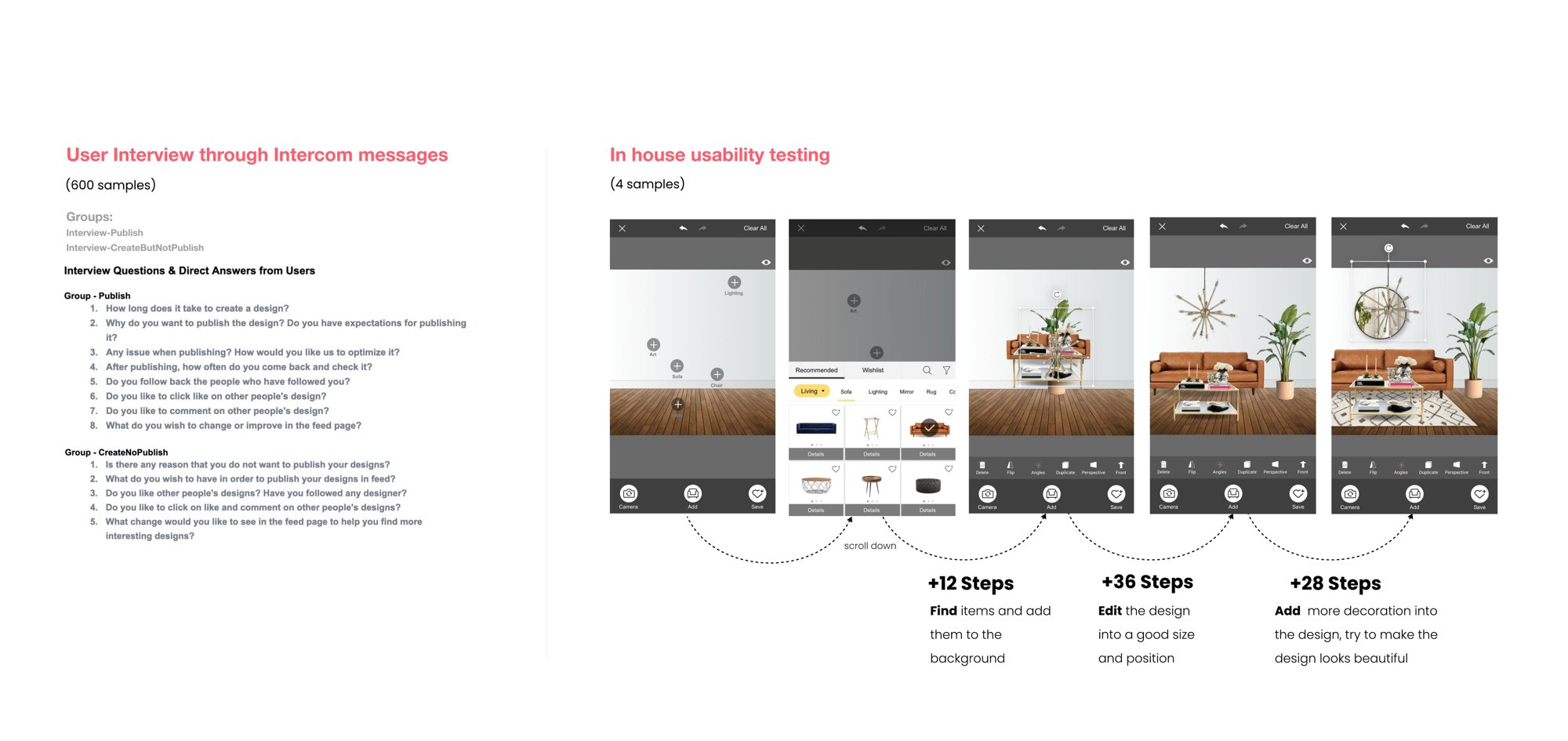
The returning user was 25–55, mostly female, coming back 3–5 times a week to create, not buy. We didn't need a better catalog. We needed a design tool, a social feed, and something to do with free time. Pivot.
After the first pivot, design was the loop. But without publishing there was no feed, no likes, no reason to return. The number that mattered was stuck at 3.5%.
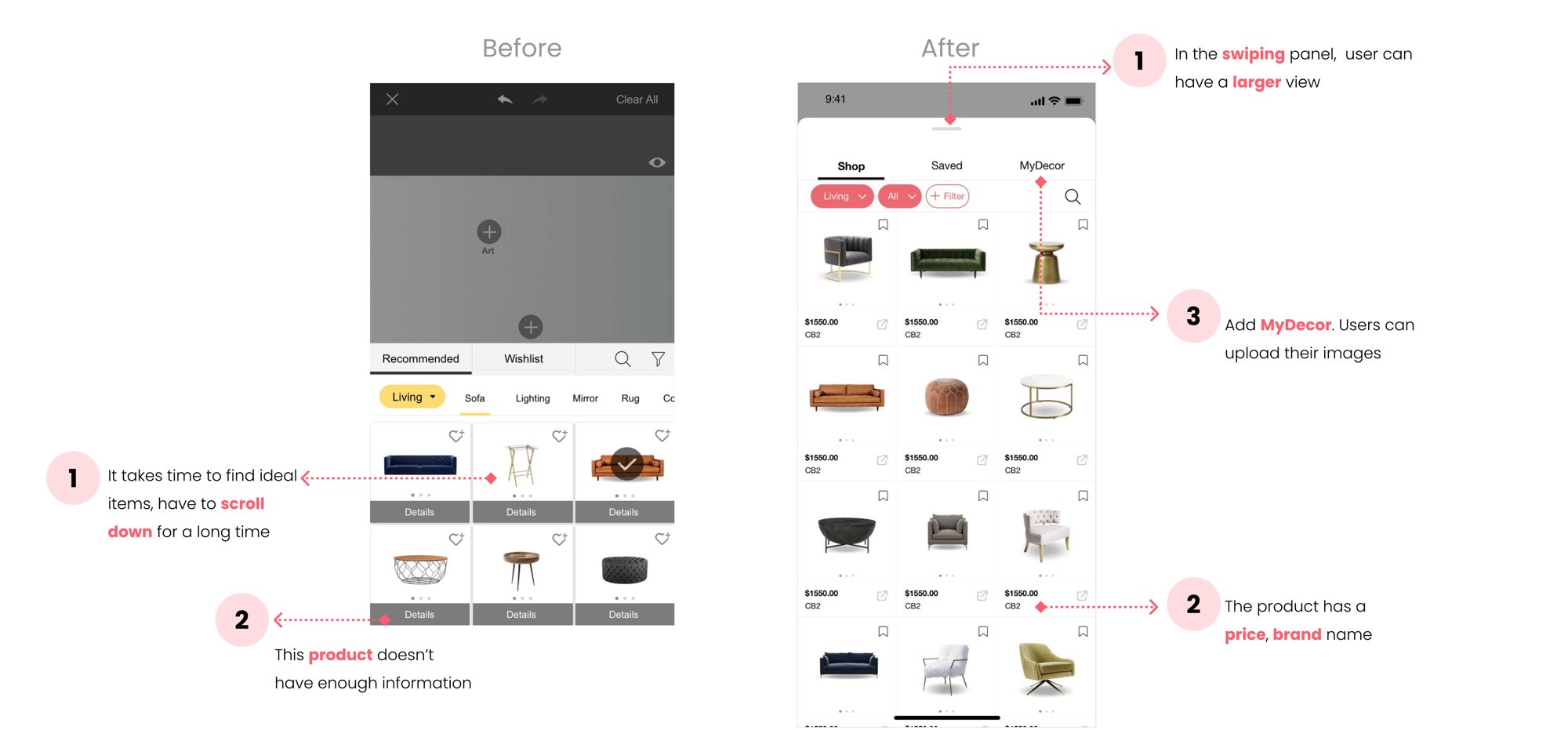
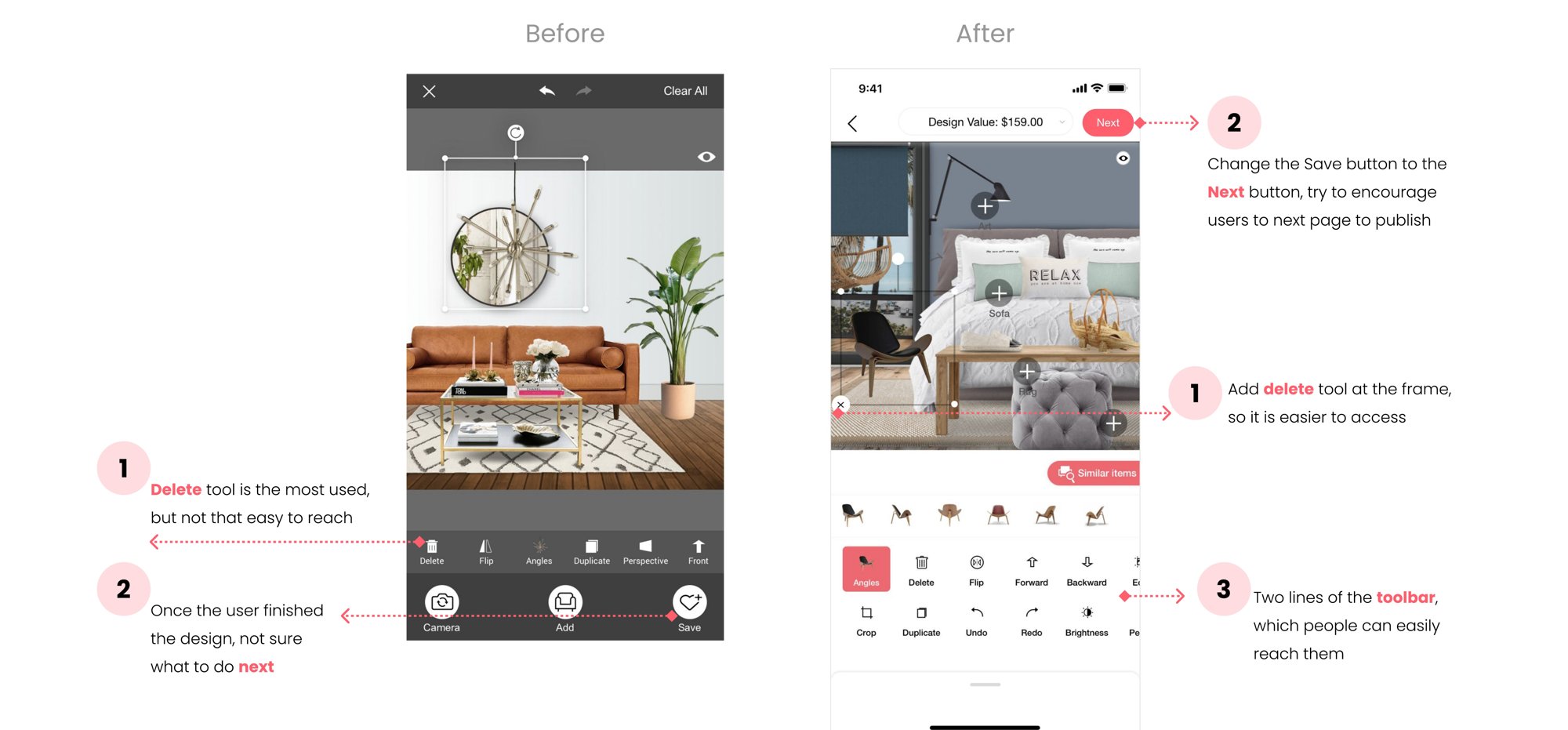
I led design on three parallel tracks — speed up item search, make tools forgiving, give publishing a reason. Each shipped as a minor release so we could measure independently.
By 2020, MyDecor subscription drove ~75% of revenue — fragile. The goal was 2× without breaking the free creator experience. The framing shift: stop treating this as retail. Start treating it as a game economy.
Most comments were "beautiful / wow / awesome." We turned the compliment itself into the product — paid virtual gifts attached to designs you loved.
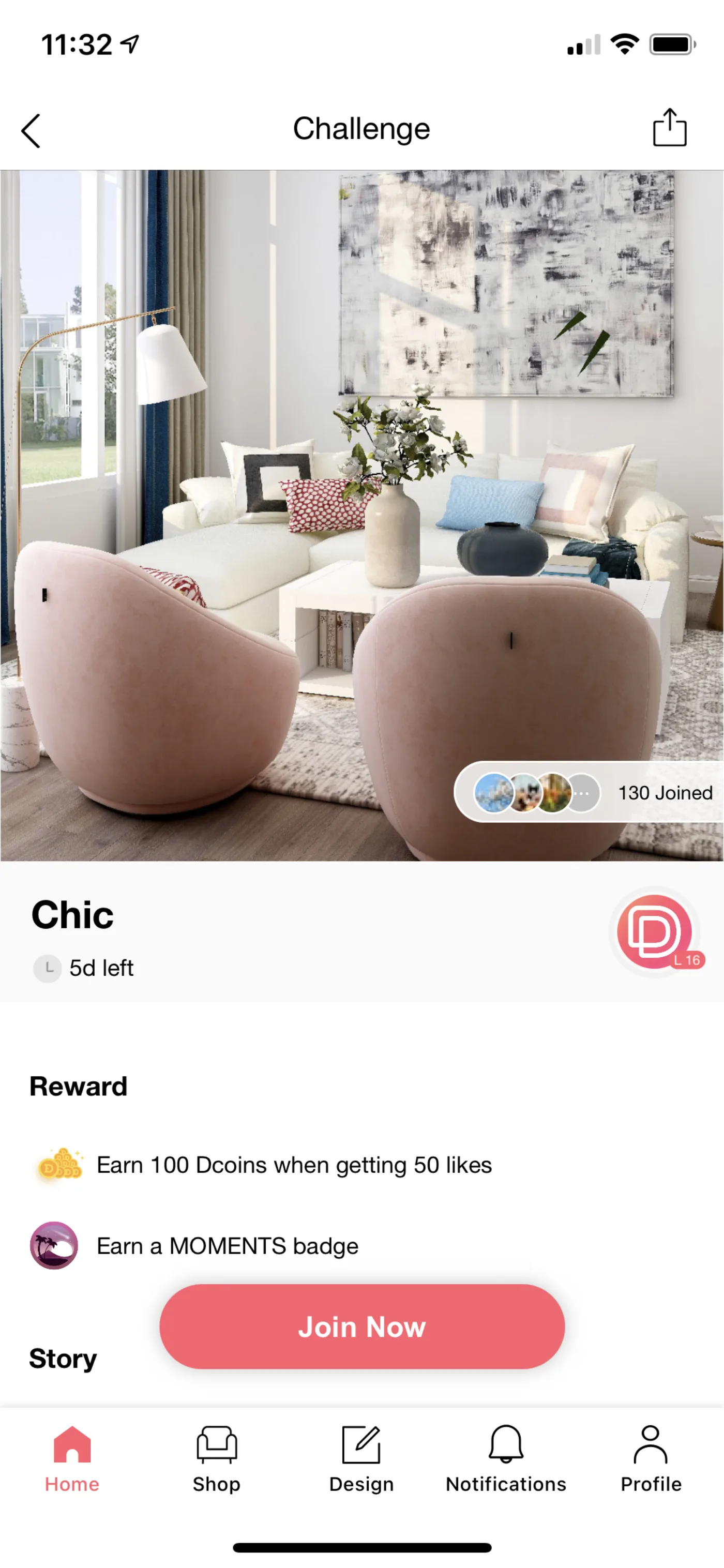
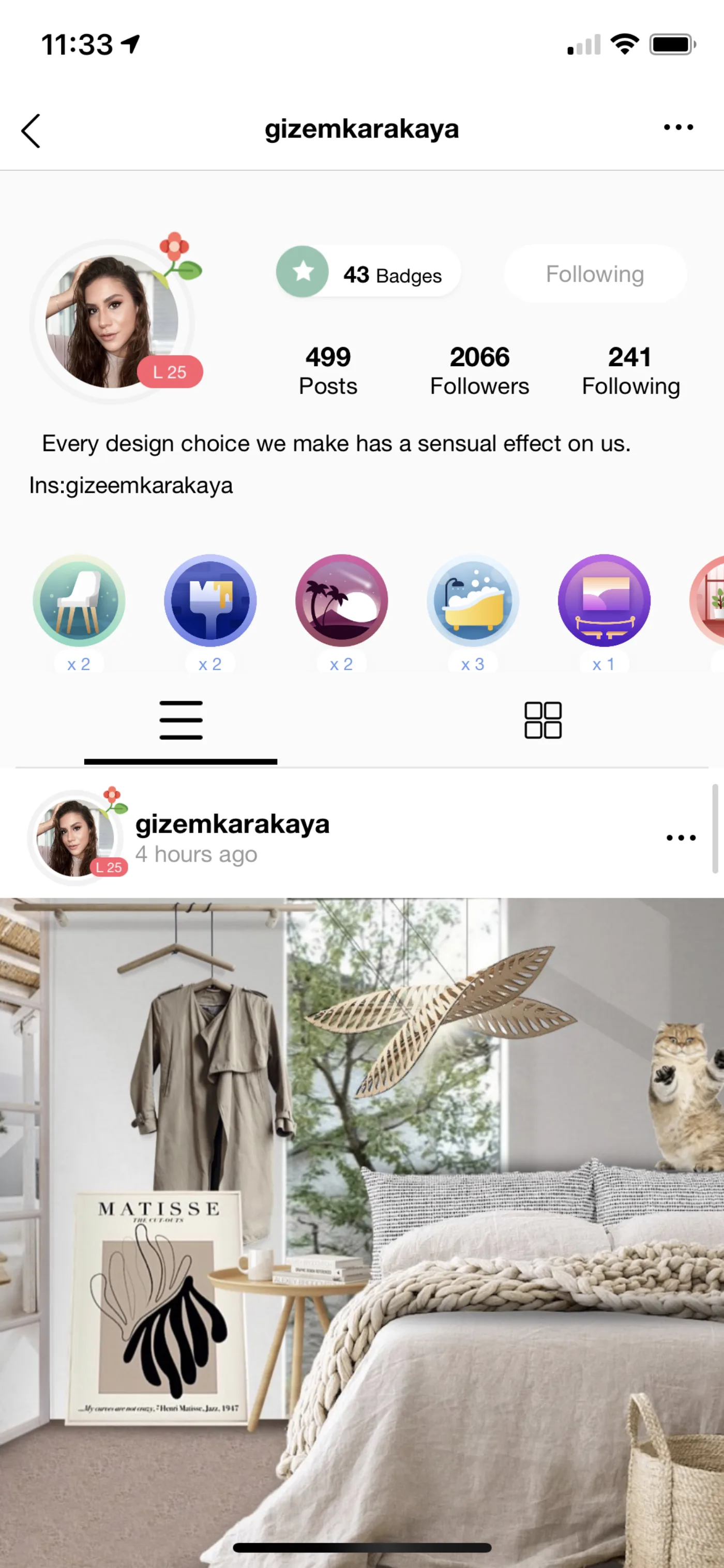
Daily check-ins earned Dcoins; finished challenges won badges. Gamers' real needs — practice, recognition, a fun escape — became the loop that kept them opening the app.
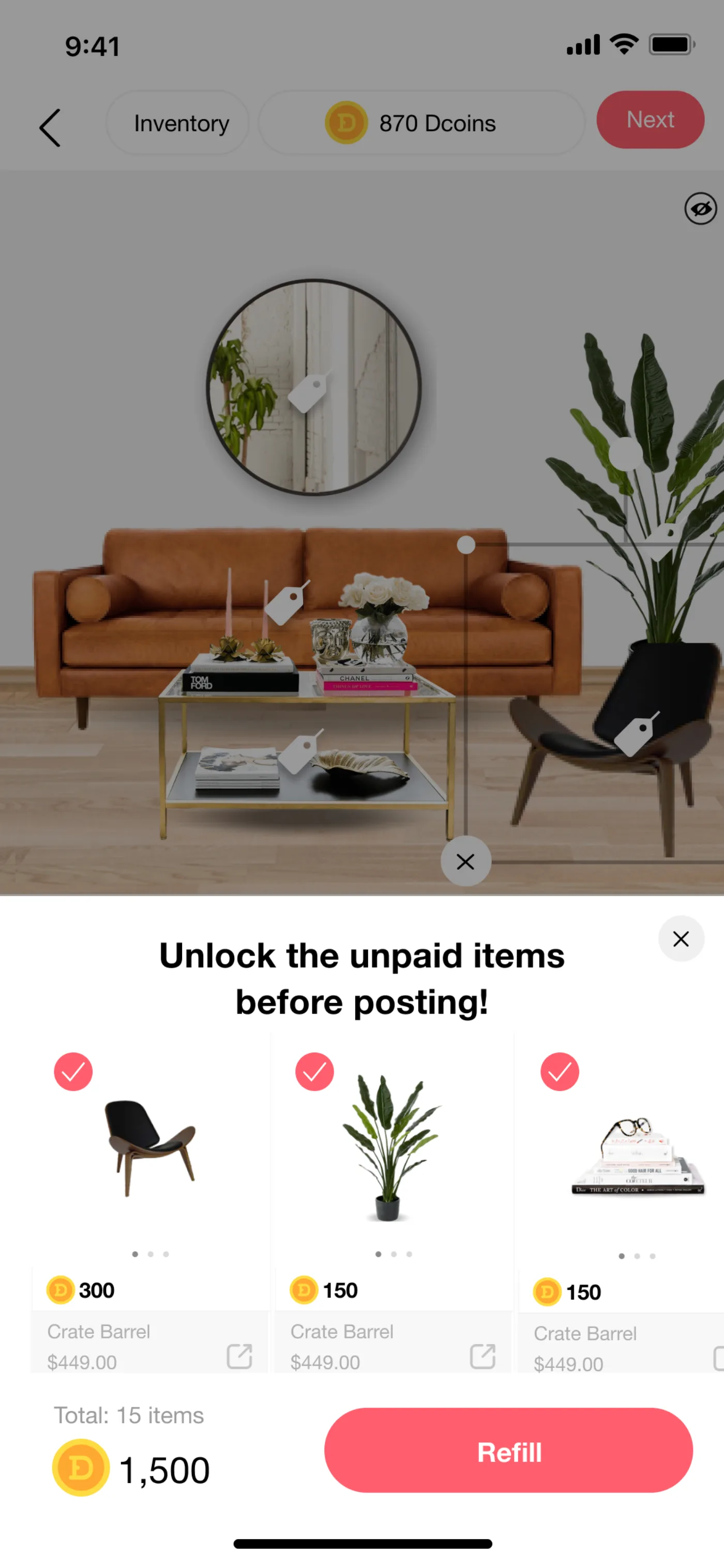
Instead of a hard paywall, items could be unlocked three ways: membership, purchased Dcoins, or earned Dcoins. Free users kept designing. Invested users paid — or earned by showing up.
Five years of DecorMatters compressed into the lessons I actually carry.
A small, growing collection of AI-built side projects — designed, written, and shipped solo with Claude. Part sketchbook, part proof-of-craft. Each one a small bet on a tool I want to understand by actually shipping with it.
I started this collection to stay honest about what AI is good at — and what it isn't. Every project here is a hypothesis about a tool, an interaction, or a product. Some inform my work. Most teach me something I couldn't have learned from a blog post.
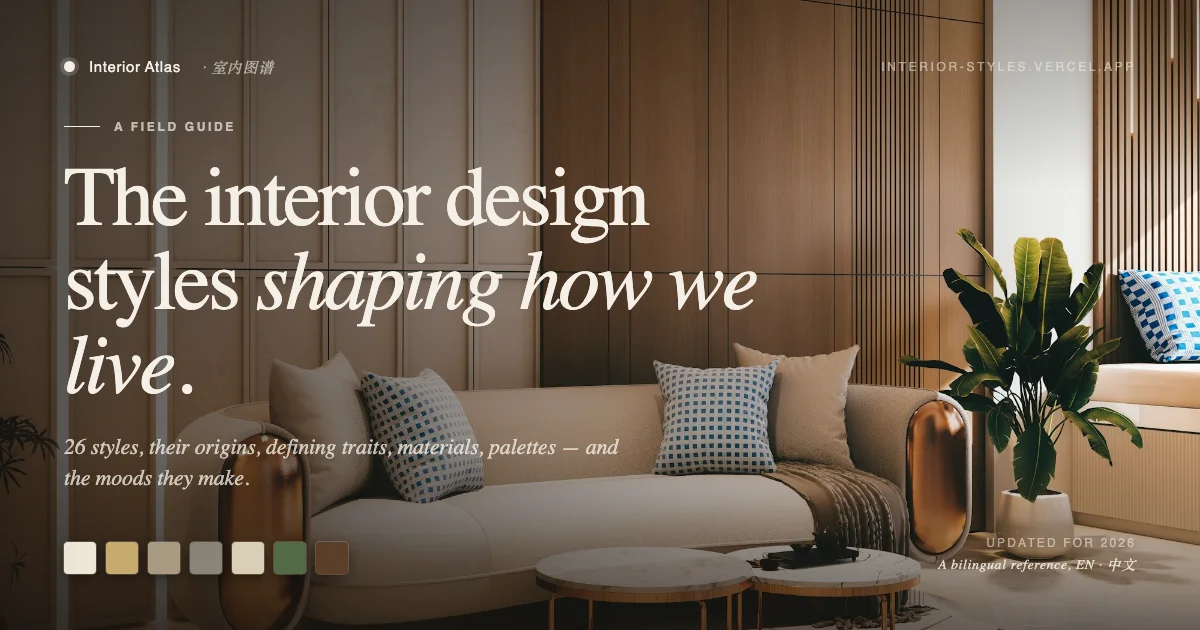

A bilingual (EN / 中文) reference site documenting 26 interior design styles — their origins, defining traits, materials, color palettes, and the moods they make. Built with Claude and Next.js over a couple of weekends.
Upload a photo, and the AI diagnoses your plant — species, health, why the leaves are yellowing, watering and pruning advice, and a growth log to track progress over time. A bilingual AI companion for plant care, currently drafting.
Spin the globe, discover the world's most extraordinary plants — baobabs, dragon's blood trees, welwitschia, and others mapped to where they grow. A 3D WebGL botanical archive built with globe.gl.
把通勤变成英语练习。An audio-first iOS app (React Native / Expo) that turns daily drives into bilingual vocabulary, listening practice, and AI-tutor conversations. Welcome screen, library, quiz, paywall — all there. Currently v1.0 MVP.
Vibe coding with AI changed how I design at work. Shipping these projects solo made me sharper at scoping, faster at prompting, and more opinionated about when AI should disappear into a product versus announce itself. The best ones usually disappear. More to come — this collection grows whenever I have a weekend and a curiosity.